Remotewize

VoIP Software software

Replace desk phones and landlines with internet-based calling to keep distributed teams reachable, professional, and connected regardless of location or device. Compare available solutions to find the right fit for your distributed team's communication needs.

Compare VoIP Software software

Search, filter, and shortlist tools that match your budget, ratings, and trial preferences.

0 results

No published software yet

Approved listings will appear here after an admin publishes them.

What is VoIP Software software?

When your team is spread across multiple locations or time zones, keeping communication reliable and professional becomes a real challenge. Business phone (VoIP) software lets you make and receive calls over the internet, replacing traditional phone infrastructure with a flexible, cloud-based system. 

You can manage extensions, route calls, hold virtual meetings, and keep distributed team members reachable regardless of where they're working. Features like call forwarding, voicemail-to-email, and shared phone numbers help you stay connected across a remote or hybrid workforce. 

Who uses VoIP Software software?

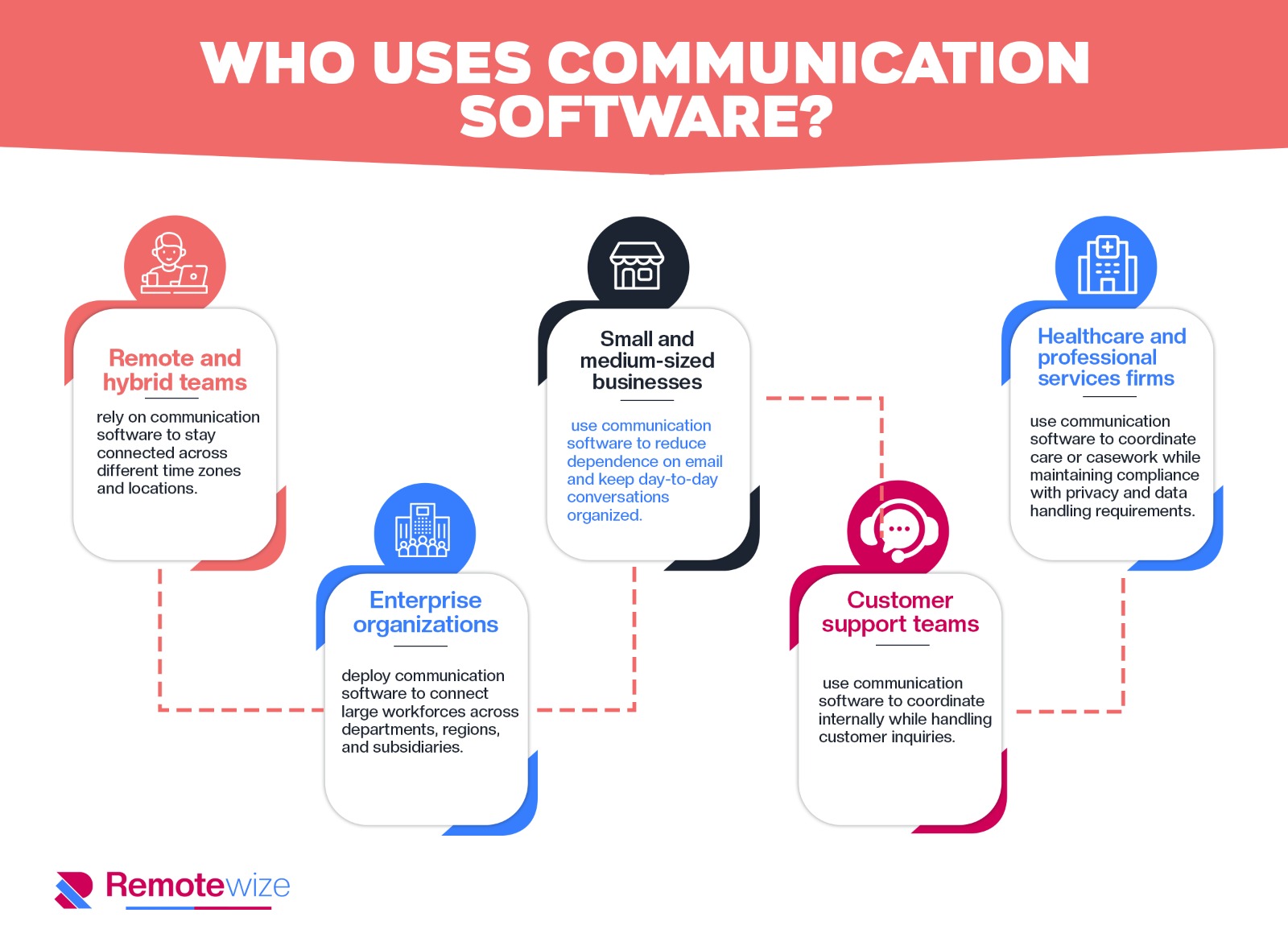
Business VoIP systems are used across a wide range of industries and team structures. Organizations of all sizes rely on them to keep distributed employees connected through a single, manageable phone infrastructure.

Who uses

  • Remote-first companies depend on business VoIP to give every employee a professional phone presence regardless of their physical location. It allows distributed teams to operate under a unified phone system without requiring anyone to be in a central office.

  • Customer support and call center teams use business VoIP to route incoming calls to agents working across multiple time zones or home offices. This ensures consistent service coverage and allows managers to monitor call queues and agent availability in real time.

  • Sales teams with distributed reps rely on business VoIP to make and receive calls from local or toll-free numbers that match their target markets. It gives remote reps a credible, professional presence without being tied to a physical office line.

  • Small and mid-sized businesses adopt business VoIP as a cost-effective alternative to traditional phone systems, especially when staff work from different locations. It removes the need for on-site hardware while still supporting multi-line functionality and call management features.

  • HR and recruiting teams use business VoIP to conduct candidate interviews and internal consultations across geographies. Shared call logs and recording features help distributed HR staff maintain consistent hiring processes.

  • Healthcare and professional services firms rely on business VoIP to handle sensitive client communications while keeping remote staff reachable through a centralized, compliant phone system. It supports call routing and documentation in environments where accountability matters.

  • IT and operations managers use business VoIP to provision, manage, and troubleshoot phone access for employees spread across multiple sites or working from home. Cloud-based administration means they can make changes to the system without being on-site.

Benefits of VoIP Software software

Benefits

  1. Maintain a Professional Business Presence Regardless of Where Your Team Works

When a distributed team relies on personal cell phones or consumer messaging apps to handle business calls, the experience on the other end — for customers, partners, and vendors — can feel inconsistent and unprofessional. There is no shared directory, no consistent caller ID, and no reliable way to route calls to the right person when someone is working from a different city or time zone.

Business VoIP systems give every team member a dedicated business number and a unified phone experience, regardless of whether they are working from a home office, a co-working space, or a different country. Customers reach a consistent, professional front — with proper call routing, hold music, and voicemail — without anyone needing to be in the same building. For distributed teams, this removes a real credibility gap that can otherwise quietly erode customer confidence.

2. Reduce Communication Costs Without Sacrificing Reliability Across Locations

Traditional phone infrastructure — desk phones, PBX hardware, and landline contracts — was built around fixed office locations. When a workforce becomes distributed, that infrastructure either fails to follow employees or requires expensive duplication across multiple sites, driving up overhead without improving outcomes.

VoIP routes calls over the internet, which means there is no need for physical phone hardware at each location and no per-site setup costs. Long-distance and international calls, which become more frequent when teams are spread across regions, are typically included or significantly cheaper than traditional carrier rates. For organizations managing headcount across multiple locations or countries, this cost structure is meaningfully more sustainable.

3. Give Managers Visibility Into Team Availability and Call Activity Across Time Zones

One of the more practical challenges of managing a distributed team is not knowing whether someone is reachable, on a call, or simply unavailable — especially when schedules do not fully overlap. Without a shared system, managers often resort to sending messages and waiting, which creates delays and erodes responsiveness.

Business VoIP platforms typically include presence indicators and call activity dashboards that show who is available, on a call, or offline in real time. This gives team leads and operations managers a clearer picture of capacity without requiring constant check-ins. For customer-facing teams in particular, this visibility helps ensure that coverage gaps across time zones are identified and addressed before they affect service levels.

4. Enable Seamless Call Handling When Employees Move Between Locations

Remote and hybrid employees regularly shift between environments — home, office, client sites, and travel. Each transition creates a potential gap in reachability if the phone system is tied to a physical desk or a single device. Missed calls during those transitions can mean missed business.

VoIP systems are device-agnostic by design. Employees can take and make calls from a laptop, a mobile app, or a desk phone using the same business number, and calls can be transferred or forwarded without any manual reconfiguration. For distributed teams, this continuity means that location changes are invisible to the people trying to reach them — which matters most in client-facing and time-sensitive roles.

5. Simplify Onboarding and Offboarding for a Workforce That Is Rarely in One Place

Adding or removing a team member from a traditional phone system often requires IT involvement, physical hardware, and coordination with a telecom provider — a process that can take days and is difficult to manage when employees are not on-site. For organizations that hire across multiple locations or manage frequent contractor and seasonal staff changes, this friction adds up.

With VoIP, provisioning a new user typically takes minutes through an admin dashboard, and access can be revoked just as quickly. There is no hardware to ship, no technician to schedule, and no dependency on a specific physical location. For HR and IT teams managing a distributed workforce, this reduces the operational burden of workforce changes and shortens the time it takes for new hires to become fully functional.

6. Maintain Business Continuity When Offices Are Unavailable or Disrupted

Distributed teams are often more resilient by default, but that resilience depends on communication infrastructure that does not rely on any single location. If a regional office loses internet, power, or access, a phone system tied to that location can go dark — taking customer communications with it.

Because VoIP operates over the internet and is managed through cloud-based platforms, calls can be rerouted to other team members or locations automatically when disruptions occur. Administrators can make those changes remotely, often in real time, without waiting for a technician or a carrier to intervene. For organizations with customers or operations across multiple regions, this kind of built-in redundancy is a practical safeguard rather than a theoretical one.

Top features to look for in VoIP Software software

1. Cloud-Based Calling Over the Internet (VoIP)

Business phone systems built on VoIP (Voice over Internet Protocol) route calls through an internet connection rather than traditional phone lines. This means employees don't need desk phones or physical office infrastructure — they can make and receive calls from a laptop, smartphone, or tablet using a software application.

For distributed teams, this is foundational. A sales rep in Austin, a support agent in London, and a manager in Singapore can all operate under the same business phone system without any of them being in an office. Calls are made and received through the same interface regardless of location. 

This eliminates the operational gap between co-located and remote employees, ensuring every team member presents a consistent, professional business identity to customers and colleagues regardless of where they're working.

2. Auto Attendant and Call Routing

An auto attendant is an automated menu system that answers incoming calls and directs callers to the right person, team, or department based on their input — without requiring a human receptionist. Routing rules can be configured to send calls to specific extensions, voicemail boxes, or ring groups depending on the time of day, caller selection, or availability.

For organizations with employees across multiple time zones, this feature is especially practical. Routing rules can be set so that calls arriving outside business hours in one region are automatically forwarded to a team operating in a different time zone, reducing missed calls without requiring manual coordination.

This keeps customer-facing operations running continuously and reduces the administrative burden on individual employees who would otherwise need to manually manage call transfers across a distributed team.

3. Voicemail with Transcription

Voicemail allows callers to leave recorded messages when a call goes unanswered. Most business phone systems extend this with automatic transcription, converting the audio message into readable text that is delivered via email or displayed within the platform's interface.

In remote and asynchronous work environments, this feature has clear practical value. A team member finishing their workday in one time zone may receive a voicemail from a client in another region after hours. Rather than listening to audio recordings the next morning, they can quickly scan transcribed messages to prioritize which require immediate follow-up. 

This reduces response delays, supports asynchronous communication workflows, and ensures that important information isn't buried in audio files that require full playback to review — a meaningful efficiency gain for distributed teams managing high call volumes.

4. Call Recording

Call recording captures audio from inbound and outbound calls and stores it for later review. Recordings can typically be accessed through the platform's dashboard, downloaded, or shared with other team members, depending on the system's configuration and any applicable compliance settings.

For distributed teams, this feature addresses a persistent challenge: maintaining quality and accountability when managers cannot directly observe customer interactions. A team leader overseeing remote support agents across different regions can review recorded calls to assess communication quality, identify training needs, or resolve disputes about what was discussed with a client. 

It also supports onboarding — new remote employees can listen to real call examples as part of their training. Organizations in regulated industries use call recording to meet documentation requirements, making it both an operational tool and a compliance resource.


5. Extensions and Direct Dial Numbers

Business phone systems allow organizations to assign individual extensions or direct dial numbers (also called DIDs) to employees, departments, or locations. Extensions route calls internally within the system, while direct dial numbers give external callers a way to reach a specific person or team without going through a central line.

In distributed teams, this structure creates clarity. A customer can dial a specific account manager directly, regardless of whether that person is working from home, a co-working space, or a different country. Internally, employees can transfer calls to colleagues using short extension codes rather than exchanging personal mobile numbers. 

This maintains professional boundaries for remote workers while preserving the organizational structure that customers and partners expect — ensuring the business presents a coherent, accessible phone presence even when no two employees share the same physical location.


6. Mobile and Desktop Softphone Applications

A softphone is a software application that replicates the functionality of a physical desk phone on a computer or mobile device. Users can place calls, manage transfers, check voicemail, and access call history entirely through the app, without any dedicated hardware.

This is the primary interface through which remote and hybrid employees interact with a business phone system day-to-day. An employee working from home uses the desktop app during core hours, then switches to the mobile app while traveling — all while maintaining the same business number and call history. 

For managers overseeing distributed teams, softphone apps provide visibility into who is available, on a call, or offline in real time. This presence awareness helps teams coordinate across time zones without relying on separate messaging tools to confirm whether a colleague is reachable before attempting a call.

7. Call Analytics and Reporting

Call analytics provide quantitative data on phone activity across the organization, including metrics such as call volume, average call duration, missed call rates, hold times, and response times. This data is typically presented through dashboards within the platform and can often be filtered by time period, team, or individual user.

For leaders managing remote or distributed teams, this reporting layer offers visibility that would otherwise be difficult to maintain. A customer service manager with agents in multiple regions can monitor whether response times are consistent across locations, identify periods of high call volume that may require staffing adjustments, and track individual performance without relying on self-reporting. 

Over time, this data supports more informed decisions about team structure, coverage hours, and resource allocation — grounding operational decisions in observed patterns rather than assumptions about how a distributed team is actually performing.

How to choose VoIP Software software

How to choose

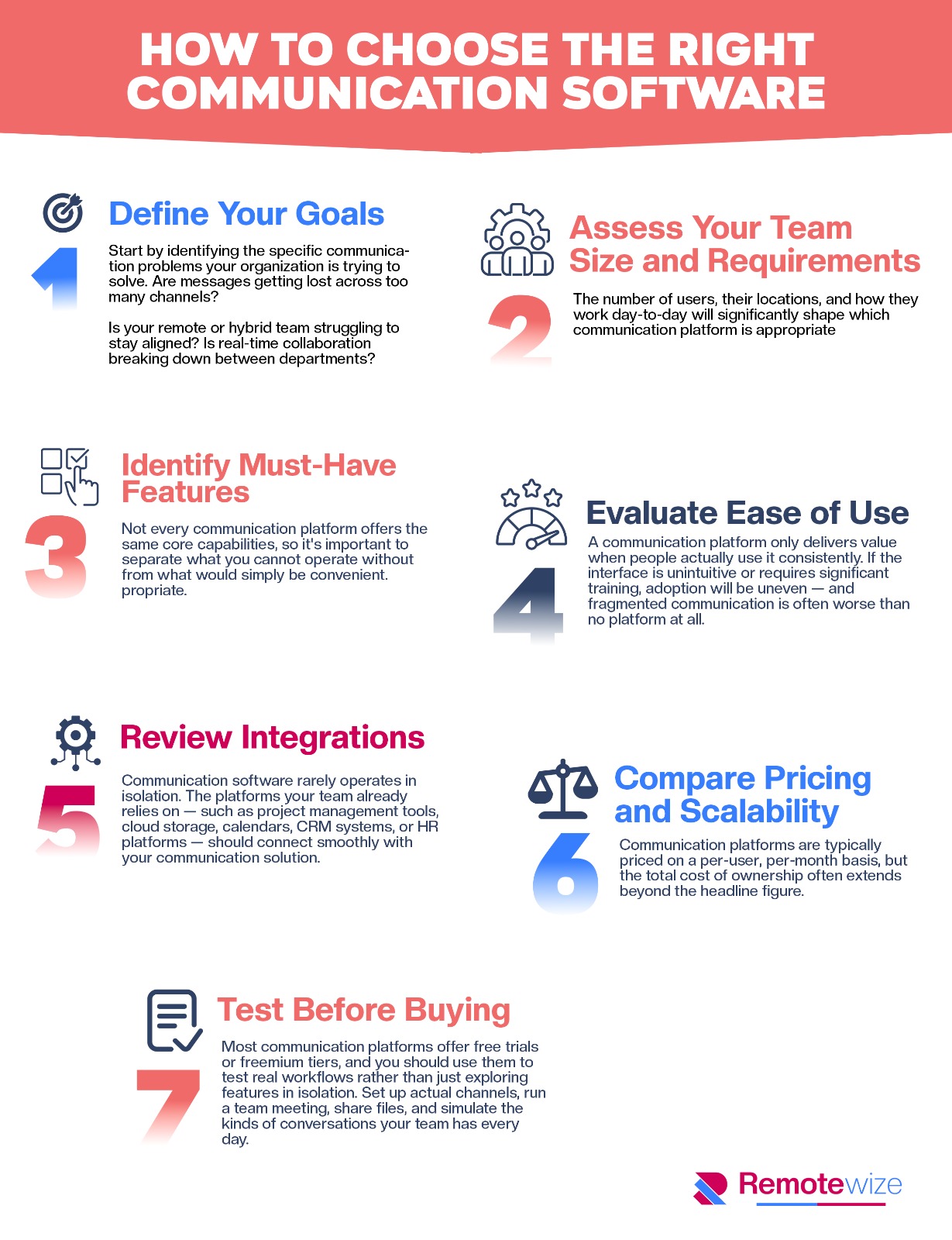
1. Define Your Goals

Start by identifying what is actually broken about your current phone setup. Common pain points for distributed teams include:

  • Missed calls when employees are working across time zones

  • No visibility into whether a remote colleague is available

  • Inconsistent call quality on home internet connections

  • Inability to route calls intelligently when there is no central office. 

Define what success looks like in concrete terms — for example, reducing missed customer calls by a measurable percentage, giving managers a real-time view of call activity across locations, or enabling a team member in a different country to share the same business number as their colleagues.

2. Assess Your Team Size and Requirements

The number of users, their locations, and how your headcount is likely to grow over the next one to two years will significantly shape which VoIP solution is the right fit. A ten-person team with employees spread across three time zones has very different needs than a two-hundred-person organization with regional offices, home-based agents, and a customer-facing support function. 

Consider which departments will use the system — sales, support, operations, HR — and whether you need separate extensions, call queues, or department-level reporting for each. Factor in growth plans early, because migrating phone systems is disruptive and expensive.

3. Identify Must-Have Features

Not every VoIP platform offers the same capabilities, so it is worth separating what you cannot operate without from what would simply be nice to have. For distributed teams, essential features often include auto-attendants and call routing rules that work across time zones, voicemail-to-email or voicemail-to-text transcription, mobile apps that allow remote employees to make and receive calls on their business number from any device, and call recording for compliance or quality purposes. 

Features like international calling bundles, ring groups, and real-time call analytics may move from nice-to-have to essential depending on your team structure and customer commitments.

4. Evaluate Ease of Use

A VoIP system that requires significant IT support to configure or that confuses employees during daily use will create friction across your entire organization — and that friction is amplified when your team is remote. Without the ability to walk someone through a problem in person, onboarding and troubleshooting depend entirely on how intuitive the platform is and how good the vendor's self-service documentation and support channels are. 

Evaluate the experience from the perspective of a non-technical employee working from home who needs to set up call forwarding or check a voicemail on their phone. A powerful system that your team avoids using because it feels complicated delivers no practical value.

5. Review Integrations

For remote and hybrid teams, a business phone system rarely operates in isolation. The most relevant integrations to evaluate include CRM platforms — so call logs and recordings sync automatically to customer records — as well as helpdesk tools, team messaging and collaboration platforms, and video conferencing software your team already relies on daily. 

When a VoIP system connects cleanly to the tools your employees use across different locations and time zones, it reduces manual data entry, improves response times, and gives managers a more complete picture of communication activity without requiring everyone to be in the same place.

6. Compare Pricing and Scalability

VoIP pricing structures vary considerably, and the advertised per-user monthly cost is rarely the full picture. Look carefully at what is included in each pricing tier — features like call recording, analytics dashboards, international numbers, or API access are often gated behind higher plans. 

Factor in costs for hardware if your team needs desk phones, charges for international calling, and any fees for adding or removing users as your headcount changes. The lowest-cost option at ten users may become the most expensive option at fifty, so model your total cost of ownership across a realistic growth scenario before committing.

7. Test Before Buying

Most reputable VoIP providers offer free trials or live demos, and you should use them with intention rather than just clicking through the interface. Set up a realistic test that mirrors how your team actually works — route a call through your auto-attendant, test call quality on a home Wi-Fi connection, forward a call to a mobile device, and check how voicemails are delivered. 

Involve the employees who will use the system daily, including those working remotely or in different time zones, and gather their honest feedback before making a final decision.

The right business phone system is not necessarily the one with the longest feature list or the lowest monthly price. It is the one that fits how your team is actually structured — whether that means employees working from home in different countries, a mix of office-based and remote staff sharing a single phone presence, or a support team handling calls across multiple time zones. 

Evaluate your options against your specific goals, your existing tools, and the practical realities of how your people work, and you will be in a much stronger position to make a decision that holds up over time.

Final Verdict: Choose The Best VoIP Software Software

Questions buyers ask about VoIP Software

What is VoIP Software software?

VoIP Software software helps teams manage a focused workflow with shared data, collaboration features, reporting, and repeatable processes.

How should I compare VoIP Software tools?

Compare tools by the workflows they support, required integrations, ease of use, pricing model, support quality, and the needs of your remote or distributed team.

How many VoIP Software tools are listed on RemoteWize?

There are currently 0 published tools in this category.