Remotewize
ClickUp logo

ClickUp

4.7
Starting at FreeTrial available

ClickUp is a project management and productivity platform that centralizes tasks, documents, goals, and team communication in one place. It serves a broad range of users, including freelancers, small businesses, remote teams, and large...

Last updated: June 29, 2026

What is ClickUp?

ClickUp is a project management and productivity platform that centralizes tasks, documents, goals, and team communication in one place. It serves a broad range of users, including freelancers, small businesses, remote teams, and large enterprises. Teams use it to plan projects, track progress, and collaborate without switching between multiple tools.ClickUp's key strength is its high degree of customization, offering multiple task views and a generous free plan that suits budget-conscious teams. However, that flexibility comes with a notable learning curve, and some users report the interface can feel overwhelming at first, particularly for those new to project management software.
Overall Rating

Based on 1 rating

All Reviews →
4.7
4.7

ClickUp Core Ratings

Feature depth9.8
Ease of use7.8
Value for money9.5
Customer support8.2

Starting Price

Free

View pricing page →

Pros

Unified workspace replaces fragmented remote toolsets

AI agents automate distributed team task assignment

Real-time visibility across all remote projects

Cross-functional goal tracking closes strategy-execution gaps

Consolidates chat

docs

and projects company-wide

Cons

Feature depth overwhelms smaller distributed teams

Implementation complexity strains lean IT departments

Product gallery

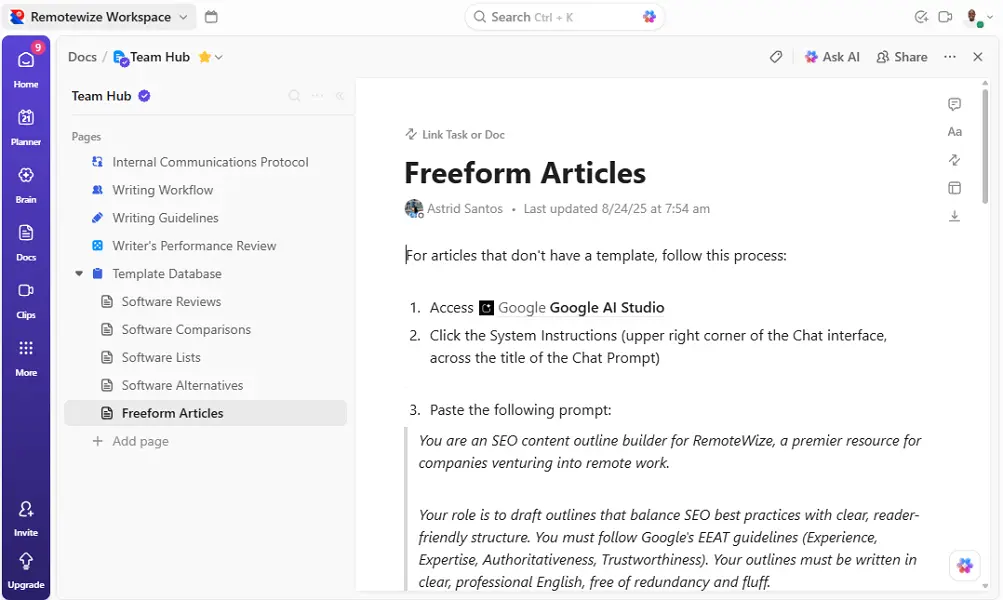
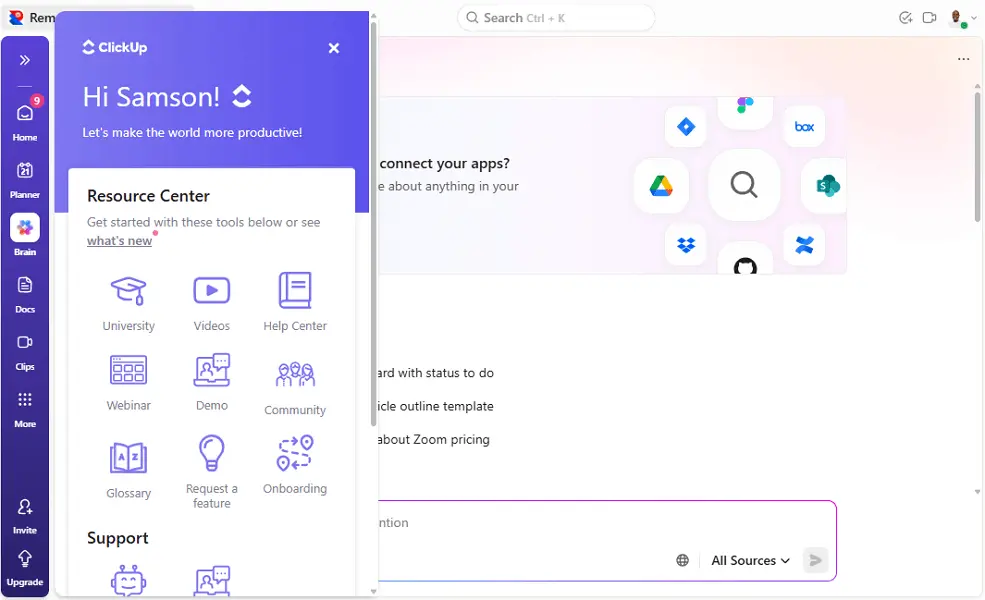
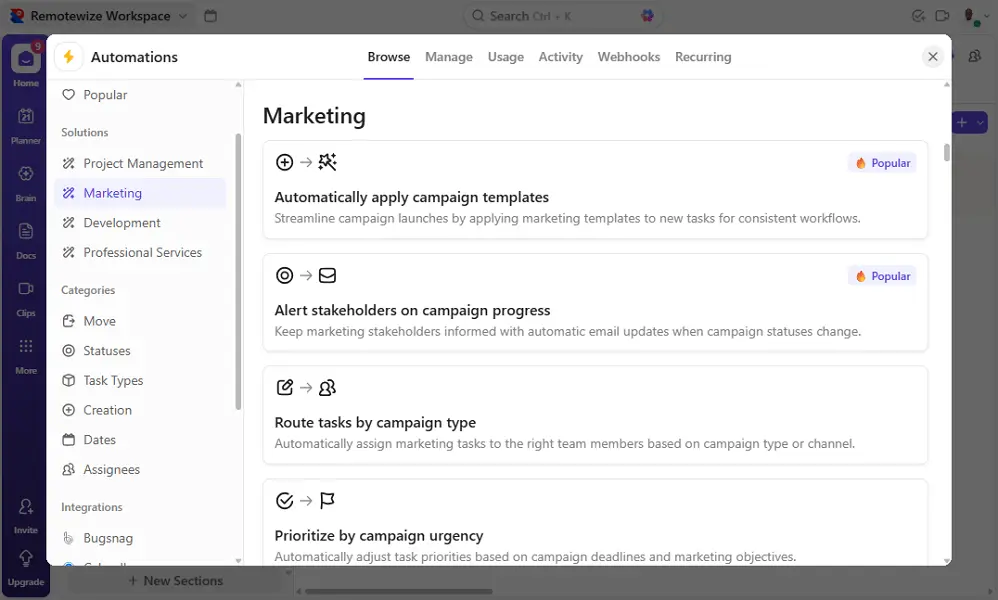
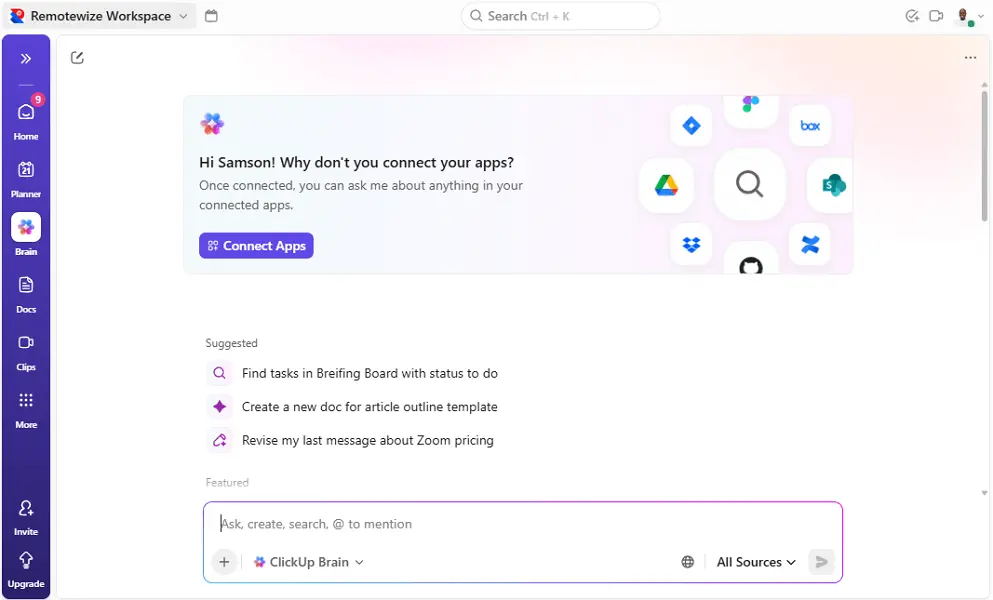
ClickUp Web/Desktop screenshot 1ClickUp Web/Desktop screenshot 2ClickUp Web/Desktop screenshot 3ClickUp Web/Desktop screenshot 4

Who is ClickUp For?

Startups, small businesses, mid-sized companies, and enterprises that need a highly customizable platform for project management, collaboration, workflows, and operational planning.

Why Choose ClickUp?

Choose ClickUp if you're leading a distributed team drowning in tool sprawl — juggling separate apps for tasks, docs, chat, and reporting. Its core differentiator is consolidation with intelligence: one workspace replacing dozens of disconnected tools, now reinforced by AI Agents that autonomously handle intake, triage, assignments, and status updates across every team function.For remote leaders specifically, ClickUp eliminates the visibility gap that kills async execution. Forrester research cited by ClickUp reports 384% ROI and 92,400 hours saved annually — outcomes driven by fewer context switches, automated workflows, and AI that surfaces answers without human interruption. Where tools like Asana or Monday.com handle projects, ClickUp handles your entire operating system. If fragmentation is your problem, this is your fix.

ClickUp Benefits and Features

At its core, ClickUp's task management system lets you structure work into hierarchical layers — Spaces, Folders, Lists, and Tasks — so every project has a clear home. Each task carries assignees, due dates, priorities, and custom statuses, giving your entire operation a consistent framework regardless of team size.As a manager, you can assign work, set dependencies, and configure automated status updates without micromanaging individuals. Custom views — including List, Board, Gantt, and Calendar — let you monitor workloads, spot bottlenecks, and reallocate resources before deadlines slip.For distributed teams, this level of structure eliminates the ambiguity that kills remote productivity. You always know who owns what, what's blocked, and what's overdue — without scheduling a single status meeting. That visibility becomes your operational backbone across time zones.

ClickUp AI Features

ClickUp Brain is a suite of AI capabilities woven throughout your entire workspace, connecting your people, tasks, documents, and data into an intelligent, queryable system. Rather than a standalone chatbot, it operates contextually — understanding your workspace structure and surfacing relevant information on demand.You can deploy AI Agents to autonomously handle repetitive questions, route requests, or surface project updates for specific teams. As a manager, this means routine information requests — project statuses, policy lookups, deadline summaries — get answered without pulling you or your leads away from higher-value decisions.Running a distributed organization means information bottlenecks slow everything down. Brain reduces your role as an information middleman, empowers your team to find answers independently, and ensures that organizational knowledge is actively working for you rather than sitting dormant inside documents nobody remembers to check.

How Much Does ClickUp Cost

Free Forever

A vendor-defined tier for teams comparing cost, limits, and fit.

Contact sales

Try for free

It includes:

  • 60MB Storage
  • Two-Factor Authentication
  • Kanban Boards
  • Basic Custom Field Manager
  • Calendar View
  • Unlimited Free Plan Members

Unlimited

A vendor-defined tier for teams comparing cost, limits, and fit.

$7

Per user, per month

Try for free

It includes:

  • All free plan features
  • plus
  • Unlimited Gantt Charts
  • Unlimited Integrations
  • Unlimited Storage
  • Resource Management

Business

A vendor-defined tier for teams comparing cost, limits, and fit.

Contact sales

Per user, per month

Try for free

It includes:

  • All unlimited features
  • plus
  • Unlimited Timeline Views
  • SMS 2-Factor Authentication
  • Webhooks & Automation Integrations
  • Unlimited Message History

ClickUp Integrations

SlackGithubZapierWehooksHubspot

Technical Details

Deployment

  • cloud

Device supported

  • windows
  • macos
  • linux
  • android
  • ios
  • web

Language supported

  • English
  • Spanish
  • French
  • German
  • Portuguese
  • Japanese
  • Korean
  • Russian
  • Turkish
  • Chinese

Customer Support

  • Live chat
  • Email
  • Ticket
  • Community
  • Social media
  • Help center
  • AI-assisted chat

Security and Compliance

  • Encryption at rest
  • Encryption in transit
  • GDPR Compliance
  • HIPAA Compliance
  • SOC 2 Type II
  • Role-Based Access Control (RBAC)
  • Multi-Factor Authentication (MFA)
  • Single Sign-On (SSO)
  • Disaster recovery plan
  • Data loss prevention (DLP)
  • Audit logs

ClickUp Reviews

We are still refining the full reviews experience. For now, use the overview ratings card above for the product's rating snapshot.

No reviews yet. Be the first to share your experience with ClickUp.

Write a review

ClickUp FAQs

What is ClickUp used for?+

ClickUp is an all-in-one work management platform that helps teams manage projects, tasks, documents, goals, workflows, time tracking, and team collaboration from a single workspace.

Is ClickUp free?+

Yes. ClickUp offers a generous free plan that includes unlimited tasks, collaborative documents, Kanban boards, and basic project management features. Advanced capabilities are available on paid plans.

Is ClickUp good for remote teams?+

Yes. ClickUp is one of the most popular platforms for remote and hybrid teams because it combines project management, team communication, documentation, goal tracking, and collaboration tools in one place.

How much does ClickUp cost?+

ClickUp offers Free, Unlimited, Business, and Enterprise plans. Pricing varies based on team size and access to advanced features such as dashboards, workload management, automation, and reporting.

Does ClickUp have built-in time tracking?+

Yes. ClickUp includes native time tracking, allowing users to record time spent on tasks, create timesheets, and analyze productivity without relying on third-party tools.

Can ClickUp automate workflows?+

Yes. ClickUp offers powerful workflow automation tools that can automatically assign tasks, change statuses, create subtasks, send notifications, and trigger actions based on predefined conditions.

Does ClickUp include document management?+

Yes. ClickUp Docs allows teams to create, edit, share, and collaborate on documents, meeting notes, SOPs, project plans, and company knowledge bases.

Can ClickUp replace multiple business tools?+

Yes. Many organizations use ClickUp to replace separate tools for task management, project management, documentation, goal tracking, whiteboarding, time tracking, and team collaboration.

Does ClickUp offer Gantt charts?+

Yes. ClickUp includes Gantt chart views that help teams visualize project timelines, dependencies, milestones, and deadlines.

Is ClickUp easy to use?+

ClickUp is powerful but can feel overwhelming for new users because of its extensive customization options. Teams may need some time to configure workflows and learn advanced features.

Does ClickUp have whiteboards?+

Yes. ClickUp Whiteboards allow teams to brainstorm ideas, map workflows, create diagrams, and collaborate visually in real time.

Is ClickUp secure?+

Yes. ClickUp offers enterprise-grade security features including data encryption, two-factor authentication (2FA), role-based permissions, audit logs, and single sign-on (SSO) on eligible plans.