Remotewize
Jira logo

Jira

Claimed
4.6
Starting at FreeTrial available

Jira is a project and issue-tracking platform built primarily for software development teams. It helps teams plan work, track bugs, manage sprints, and monitor project progress in one place. While it suits teams of...

Last updated: June 29, 2026

What is Jira?

Jira is a project and issue-tracking platform built primarily for software development teams. It helps teams plan work, track bugs, manage sprints, and monitor project progress in one place. While it suits teams of most sizes, it is especially popular among mid-size to large engineering and product teams that follow agile or scrum workflows.Jira is widely recognized for its deep customization, extensive third-party integrations, and flexible workflow management. However, users frequently note a steep learning curve, particularly for new or non-technical team members. Its interface can feel complex to configure, and smaller teams sometimes find the breadth of features overwhelming relative to their actual needs.

Overall Rating

Based on 1 rating

All Reviews →
4.6
4.6

Jira Core Ratings

Feature depth9.8
Ease of use7.0
Value for money8.8
Customer support8.2

Starting Price

Free

View pricing page →

Pros

Centralizes distributed team project visibility instantly

Tracks cross-timezone workloads across remote squads

Scales sprint oversight for growing distributed teams

Deep integrations extend remote workflow management

AI-assisted planning reduces manager coordination overhead

Cons

Steep configuration burden for non-technical managers

Overwhelming complexity strains smaller remote teams

Product gallery

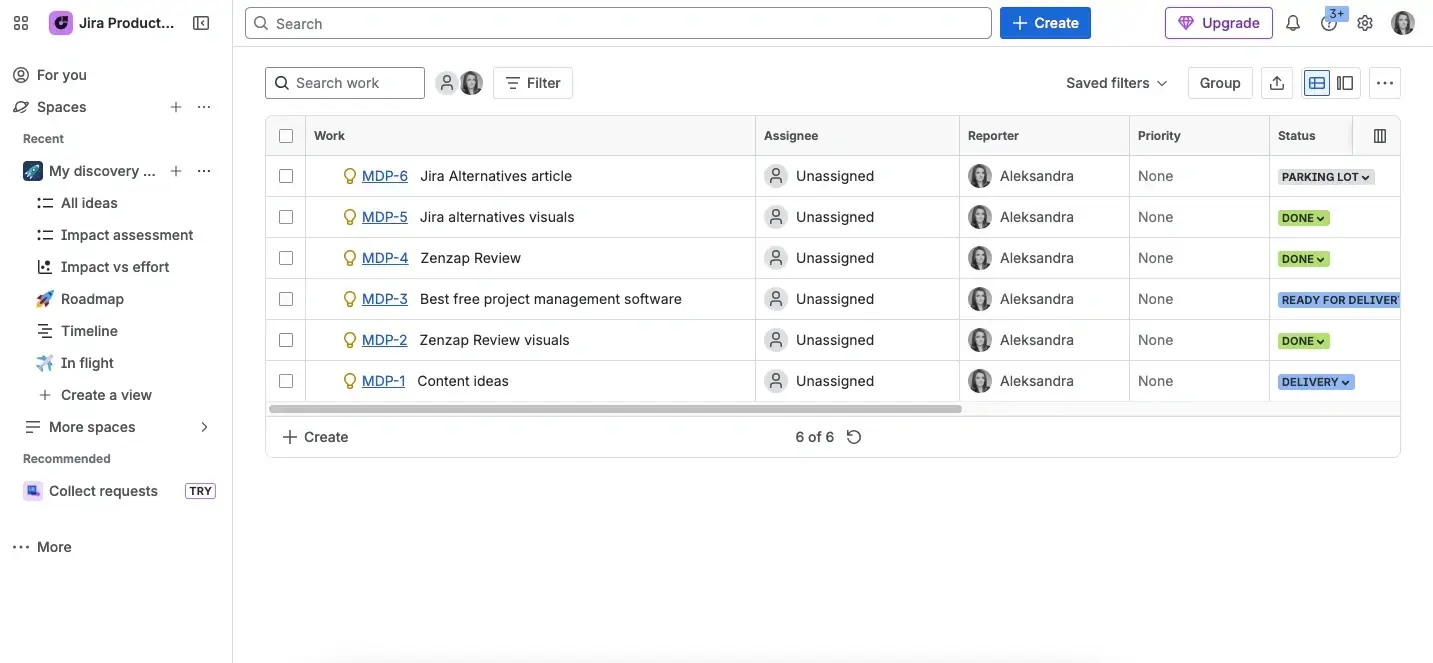
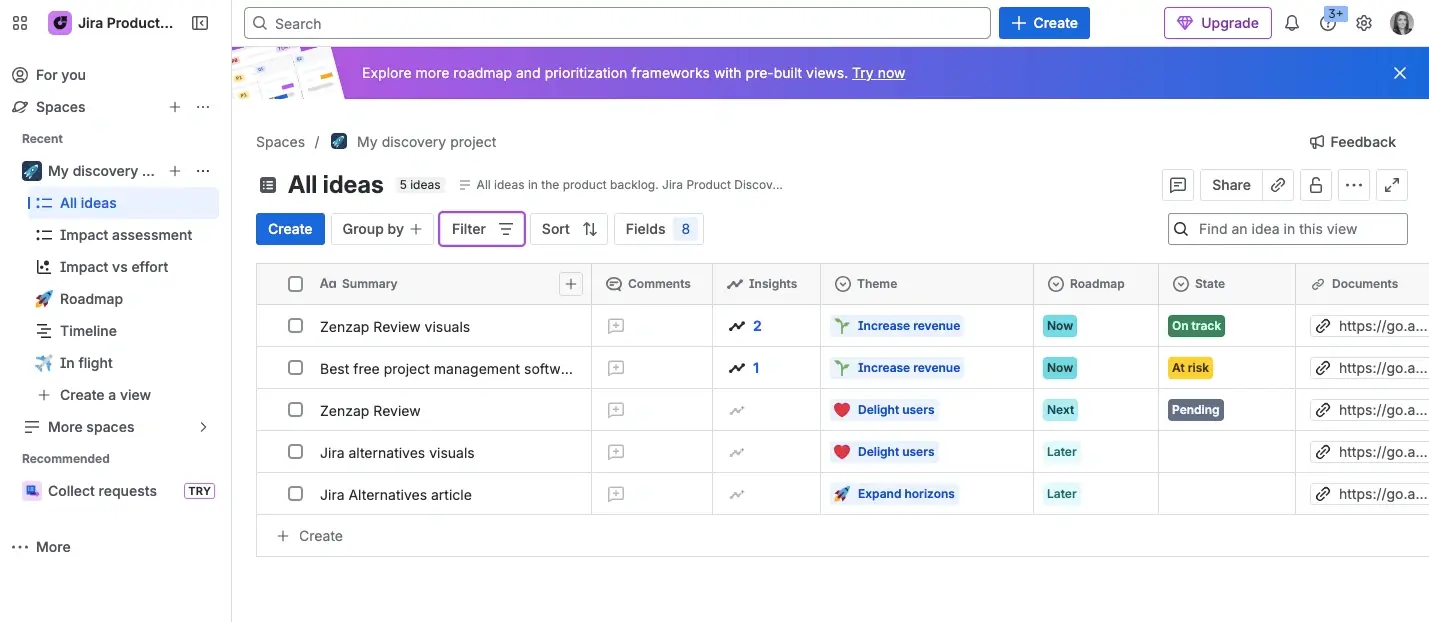
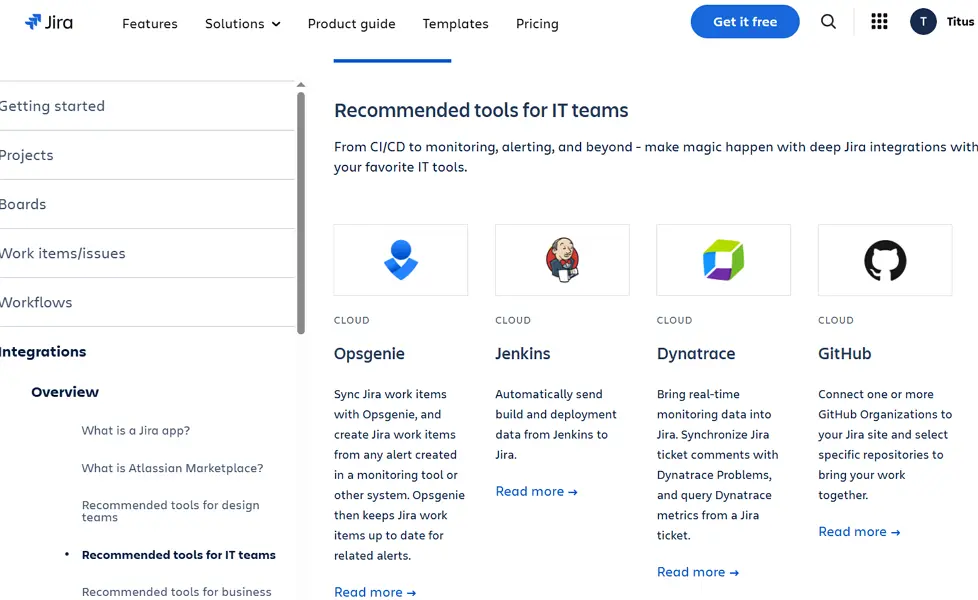
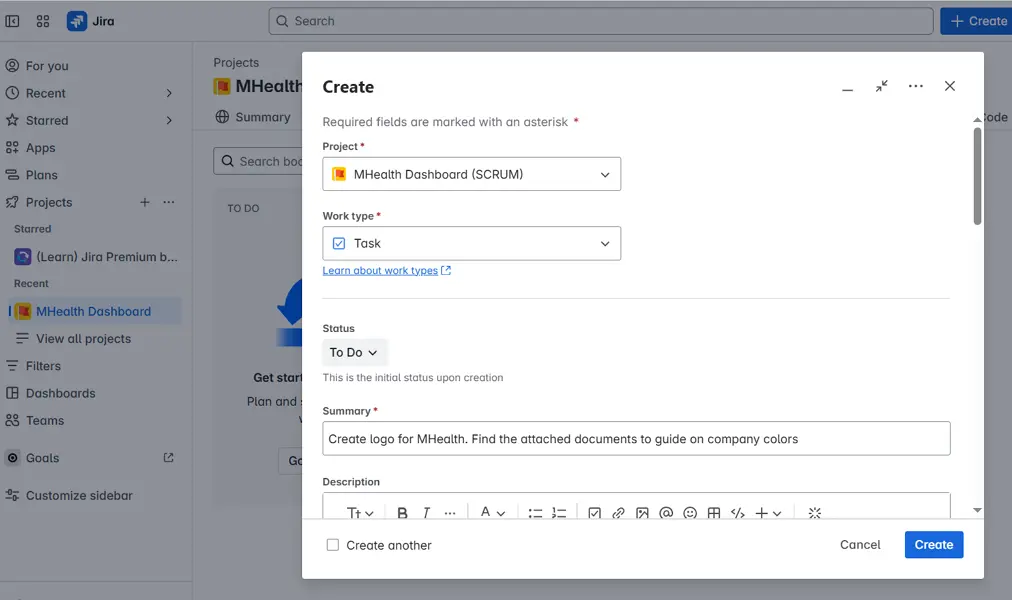
Jira Web/Desktop screenshot 1Jira Web/Desktop screenshot 2Jira Web/Desktop screenshot 3Jira Web/Desktop screenshot 4

Who is Jira For?

Jira is designed for software development teams, IT organizations, and growing to enterprise businesses that need agile project management, issue tracking, and DevOps collaboration.

Why Choose Jira?

Choose Jira if you're leading an engineering, product, or cross-functional team that needs structured project visibility at scale. Its AI-era positioning signals genuine investment in automation and intelligent workflows — a differentiator that resonates with distributed teams where manual coordination overhead compounds quickly. Reviewers on G2 and Capterra consistently cite its depth of customization as unmatched among project management tools.For remote team leaders, Jira converts chaotic, asynchronous work into traceable, accountable delivery pipelines. Managers gain real-time visibility into sprint progress, blockers, and workload distribution without scheduling status meetings. Where lighter tools like Trello or Asana hit ceilings at complexity, Jira scales with your processes. If your distributed team ships software and needs rigorous oversight, Jira is the clear operational

Jira Benefits and Features

Sprints and backlogs give your team a structured way to organize work into prioritized queues and time-boxed delivery cycles. The backlog holds all pending tasks, and you pull selected items into sprints — defined work periods, typically one to four weeks — to focus the team on what matters most right now.As a manager, you decide which backlog items get promoted into each sprint based on business priority, capacity, and deadlines. You can review sprint scope before kickoff, adjust mid-sprint if priorities shift, and close completed sprints to generate velocity data that informs future planning decisions.For distributed teams, this structure eliminates the ambiguity that often derails remote work. Everyone knows exactly what's in scope for the current cycle, reducing the need for constant check-ins. You gain a reliable pulse on team output without micromanaging, and historical sprint data helps you forecast delivery timelines with confidence.

Jira AI Features

Workflow automation in Jira lets you define rule-based triggers that move tasks, send notifications, update fields, or assign work automatically when specific conditions are met. You build these rules through a no-code interface, so implementation doesn't require engineering support.As a manager, you use automation to enforce process consistency — ensuring tasks are always assigned when created, that status changes trigger the right notifications, or that overdue items escalate automatically. This removes the reliance on individuals remembering to follow steps, which is especially critical in high-volume or compliance-sensitive environments.For remote teams, where process gaps are harder to catch in real time, automation acts as a silent enforcer of your operational standards. Work moves through the right stages without depending on someone being online to push it forward. You reduce administrative overhead for your team while maintaining the process discipline your operation requires.

How Much Does Jira Cost

Starter

A vendor-defined tier for teams comparing cost, limits, and fit.

$0

Try for free

It includes:

  • Up to 10 users
  • Support from Atlassian Community
  • Reports and dashboards
  • 2 GB of storage
  • Backlog
  • list

Standard

A vendor-defined tier for teams comparing cost, limits, and fit.

$6.25

Per user, per month

Try for free

It includes:

  • All features on free plan
  • plus
  • Up to 100
  • 000 users per site
  • 1
  • 700 automation rule runs per month

Premium

A vendor-defined tier for teams comparing cost, limits, and fit.

$11.25

Per user, per month

Try for free

It includes:

  • All features on standard plan
  • plus
  • 24/7 support for critical issues
  • Unlimited storage
  • Customizable approval processes
  • Per user automation limits (1

Jira Integrations

SlackGithubGooglesheetsConfluenceZendesk

Technical Details

Deployment

  • hybrid

Device supported

  • web
  • windows
  • macos
  • ios
  • android
  • chrome-extension
  • linux

Language supported

  • English
  • French
  • German
  • Portuguese
  • Italian
  • Japanese
  • Korean
  • Russian
  • Polish
  • Dutch

Customer Support

  • Live chat
  • Ticket
  • Community
  • Help center
  • AI-assisted chat

Security and Compliance

  • Encryption at rest
  • Encryption in transit
  • GDPR Compliance
  • HIPAA Compliance
  • SOC 2 Type II
  • ISO 27001
  • Role-Based Access Control (RBAC)
  • Multi-Factor Authentication (MFA)
  • Single Sign-On (SSO)
  • Data loss prevention (DLP)
  • Audit logs

Jira Reviews

We are still refining the full reviews experience. For now, use the overview ratings card above for the product's rating snapshot.

No reviews yet. Be the first to share your experience with Jira.

Write a review

Jira FAQs

What is Jira used for?+

Jira is a project management and issue-tracking platform primarily used by software development, IT, and Agile teams to plan work, track bugs, manage projects, and monitor releases.

Is Jira free?+

Yes. Jira offers a free plan for small teams that includes basic project management, Scrum boards, Kanban boards, backlog management, and issue tracking features.

Is Jira only for software development teams?+

No. While Jira was originally designed for software development, many marketing, operations, HR, product, and business teams now use it to manage projects, workflows, and requests.

Is Jira good for remote teams?+

Yes. Jira helps remote and distributed teams collaborate by centralizing tasks, project updates, sprint planning, issue tracking, and team workflows in a shared workspace.

Does Jira support Agile project management?+

Yes. Jira is one of the most popular Agile project management platforms and supports Scrum, Kanban, hybrid Agile frameworks, sprint planning, backlogs, and release tracking.

Can Jira track bugs and issues?+

Yes. Bug and issue tracking are among Jira's core strengths. Teams can create, prioritize, assign, monitor, and resolve bugs throughout the software development lifecycle.

Does Jira have Kanban and Scrum boards?+

Yes. Jira includes both Scrum and Kanban boards, allowing teams to choose the workflow methodology that best fits their projects.

Is Jira difficult to learn?+

Jira has a steeper learning curve than many project management platforms because of its advanced workflows, customization options, and Agile-focused terminology. However, most teams become comfortable with it after initial onboarding.

Does Jira have time tracking?+

Jira includes basic time tracking capabilities that allow users to log work hours against issues and tasks. More advanced tracking can be added through integrations and marketplace apps.

Is Jira secure?+

Yes. Jira provides enterprise-grade security features including data encryption, two-factor authentication (2FA), role-based permissions, audit logs, single sign-on (SSO), and compliance certifications.

Can non-technical teams use Jira?+

Yes. Many non-technical teams use Jira for project tracking, request management, content workflows, campaign planning, and operational processes, although simpler alternatives may be easier for some users.