Remotewize
Asana logo

Asana

4.5
Starting at FreeTrial available

Asana is a project management platform that helps teams plan projects, organize tasks, and coordinate cross-functional work. Its ability to connect day-to-day tasks to broader company goals gives remote teams clear visibility into how...

Last updated: July 6, 2026

What is Asana?

Asana is a project management platform that helps teams plan projects, organize tasks, and coordinate cross-functional work. Its ability to connect day-to-day tasks to broader company goals gives remote teams clear visibility into how their work contributes to business outcomes.We find it particularly useful for teams that want to stay focused on high-impact priorities, reduce silos, and ensure cross-functional teams work towards the same goal regardless of location. It eliminates disconnected projects, unclear ownership, and competing priorities, empowering your team to execute faster, collaborate more effectively, and consistently deliver meaningful results. Asana is widely recognized for its clean interface, flexible project views, and strong integration with third-party tools. However, its advanced features, such as reporting and automation, are locked behind higher-tier paid plans. Moreover, its extensive feature set can create a learning curve for new users, slowing initial adoption among smaller, less technical teams.
Overall Rating

Based on 1 rating

All Reviews →
4.5
4.5

Asana Core Ratings

Feature depth8.5
Ease of use8.9
Value for money7.5
Customer support8.0

Starting Price

Free

View pricing page →

Pros

No pros listed yet.

Cons

No cons listed yet.

Product gallery

Asana Web/Desktop screenshot 1Asana Web/Desktop screenshot 2Asana Web/Desktop screenshot 3Asana Web/Desktop screenshot 4

Who is Asana For?

FreelancersSmall Teams Growing Businesses Mid-Sized BusinessesLarge Businesses

Why Choose Asana?

Choose Asana if you're leading a mid-to-large distributed team that's outgrown basic task tracking and needs a single system connecting people, projects, goals, and now AI agents. Its Work Graph architecture gives operations leaders real-time visibility into every dependency and deadline — something competitors like Monday.com and ClickUp lack at the same level of structural depth.Where Asana earns its keep for remote team leaders is in eliminating the coordination overhead that kills distributed productivity. Cross-functional workflows stay aligned without constant check-ins; AI Teammates handle repeatable work autonomously within governed guardrails; and goal-to-task traceability means you always know whether execution is on track with strategy.

Asana Benefits and Features

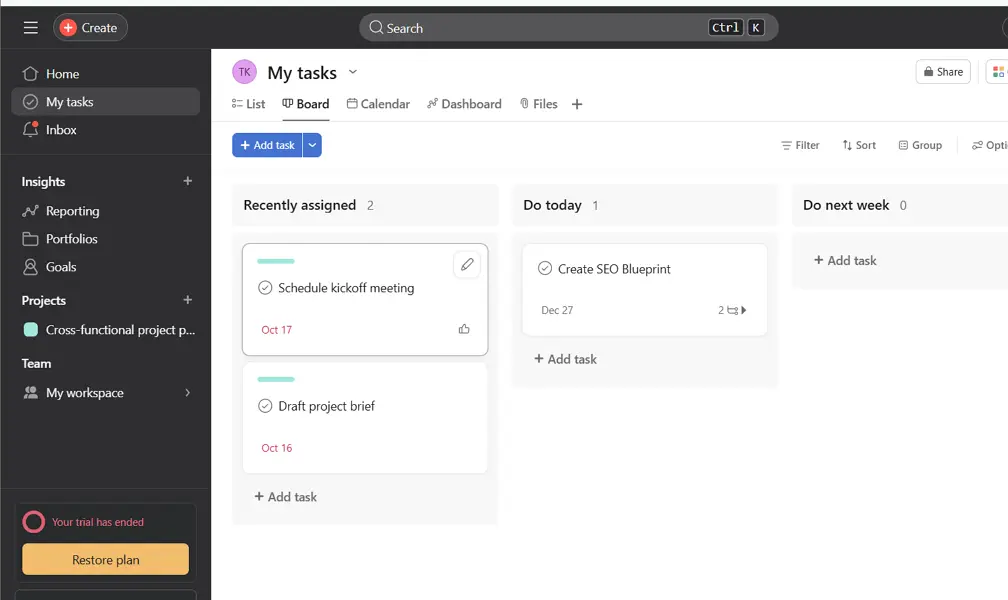
Asana lets you display the same project data across several visual formats — including list, board, timeline, calendar, and Gantt-style views. Each format reorganizes your existing tasks and deadlines without duplicating data, so switching between them reflects real-time status across your entire project.
As a manager, you choose the view that matches your current decision-making needs. Use the timeline view to spot scheduling conflicts before they escalate, switch to the board view during standups to walk through workflow stages, or pull up the calendar view when coordinating deliverables across departments.
For distributed teams operating across time zones, this flexibility is critical. You're not forcing everyone into one rigid structure — instead, you get the oversight format you need at any given moment, while your team works in whichever view suits their role.

Asana AI Features

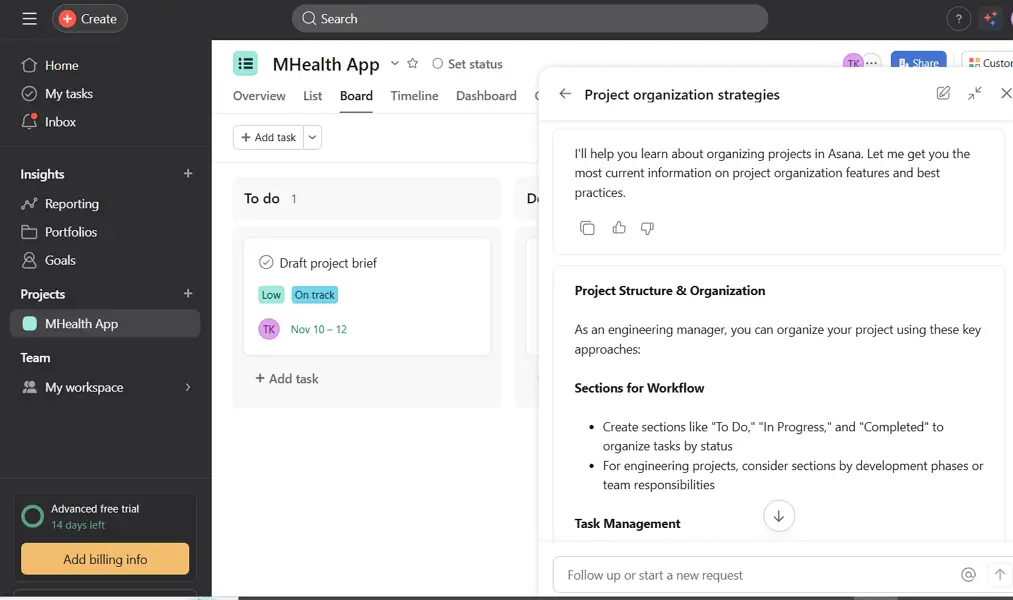
AI Studio is a no-code builder inside Asana where you design intelligent workflow automations powered by AI logic — without involving engineering resources. You construct these workflows visually, defining triggers, conditions, and AI-driven actions that respond to project activity.
As an operations manager, you might build a workflow that automatically summarizes incoming project briefs, flags incomplete intake submissions, or drafts task descriptions based on form responses. You configure the logic once and the system executes it consistently across your team's work.
For leaders managing high-volume or complex operations remotely, this reduces the manual coordination overhead that typically consumes team bandwidth. You're essentially encoding your operational judgment into automated processes that run reliably without requiring your direct involvement each time.

How Much Does Asana Cost

Personal

A vendor-defined tier for teams comparing cost, limits, and fit.

$0

Try for free

It includes:

  • Unlimited projects
  • iOS and Android mobile apps
  • Status updates
  • Unlimited messages
  • Activity logs
  • Unlimited tasks

Starter

A vendor-defined tier for teams comparing cost, limits, and fit.

$10.99

Per user, per month

Try for free

It includes:

  • All features on personal plan
  • plus
  • Advanced search
  • Private teams and projects
  • Timeline and Gantt view
  • Workflow builder

Advanced

A vendor-defined tier for teams comparing cost, limits, and fit.

$24.99

Per user, per month

Try for free

It includes:

  • All features on starter plan
  • plus
  • Approvals
  • Scaled security
  • Integrations with Salesforce
  • Tableau

Enterprise

A vendor-defined tier for teams comparing cost, limits, and fit.

Contact Sales

Per user, per month

Try for free

It includes:

  • All features on Advanced plan
  • plus
  • 24/7 support
  • AI Studio (with additional credits for purchase)
  • Service accounts
  • Team membership admin controls

Enterprise+

A vendor-defined tier for teams comparing cost, limits, and fit.

Contact Sales

Per user, per month

Try for free

It includes:

  • All features on Enterprise plan
  • plus
  • App management
  • Asana AI
  • HIPAA compliance available
  • see requirements

Asana Integrations

SlackGoogle DriveMicrosoft TeamsSalesforceZoom

Technical Details

Deployment

  • cloud

Device supported

  • windows
  • macos
  • android
  • ios
  • web

Language supported

  • English
  • Spanish
  • French
  • German
  • Portuguese
  • Italian
  • Dutch
  • Japanese
  • Korean
  • Chinese

Customer Support

  • Live chat
  • Email
  • Ticket
  • Community
  • Social media
  • Help center
  • AI-assisted chat

Security and Compliance

  • Encryption at rest
  • Encryption in transit
  • GDPR Compliance
  • HIPAA Compliance
  • SOC 2 Type II
  • ISO 27001
  • Role-Based Access Control (RBAC)
  • Multi-Factor Authentication (MFA)
  • Single Sign-On (SSO)
  • Disaster recovery plan
  • Audit logs

Asana Reviews

We are still refining the full reviews experience. For now, use the overview ratings card above for the product's rating snapshot.

No reviews yet. Be the first to share your experience with Asana.

Write a review

Asana FAQs

What is Asana used for?+

Asana is a project and work management platform that helps teams plan projects, assign tasks, track progress, manage deadlines, and collaborate in one place.

Is Asana free?+

Yes. Asana offers a free plan that supports basic task and project management for individuals and small teams. Advanced features require a paid subscription.

How much does Asana cost?+

Asana offers multiple pricing tiers, including a free plan and paid plans with advanced features such as timelines, reporting, automation, portfolios, and workload management.

Is Asana good for remote teams?+

Yes. Asana is particularly popular among remote and hybrid teams because it centralizes tasks, project updates, files, and communication, reducing reliance on meetings and email.

Does Asana have time tracking?+

Asana does not include native time tracking on all plans. However, it integrates with third-party time tracking tools such as Toggl Track, Harvest, and Clockify.

Is Asana easy to learn?+

Yes. Most users find Asana intuitive and easy to navigate. Its clean interface and project templates help new users get started quickly, though mastering advanced workflows may take some time.

Does Asana have Gantt charts?+

Asana doesn't offer traditional Gantt charts, but its Timeline view provides similar functionality for visualizing project schedules, dependencies, and deadlines.

Is Asana suitable for large organizations?+

Yes. Asana supports teams of all sizes and offers enterprise-grade features such as advanced security controls, admin tools, portfolio management, workload tracking, and integrations for larger organizations.

Can Asana track employee productivity?+

Asana helps managers track task completion, project progress, and workloads. However, it is not an employee monitoring tool and does not track screen activity or time spent working

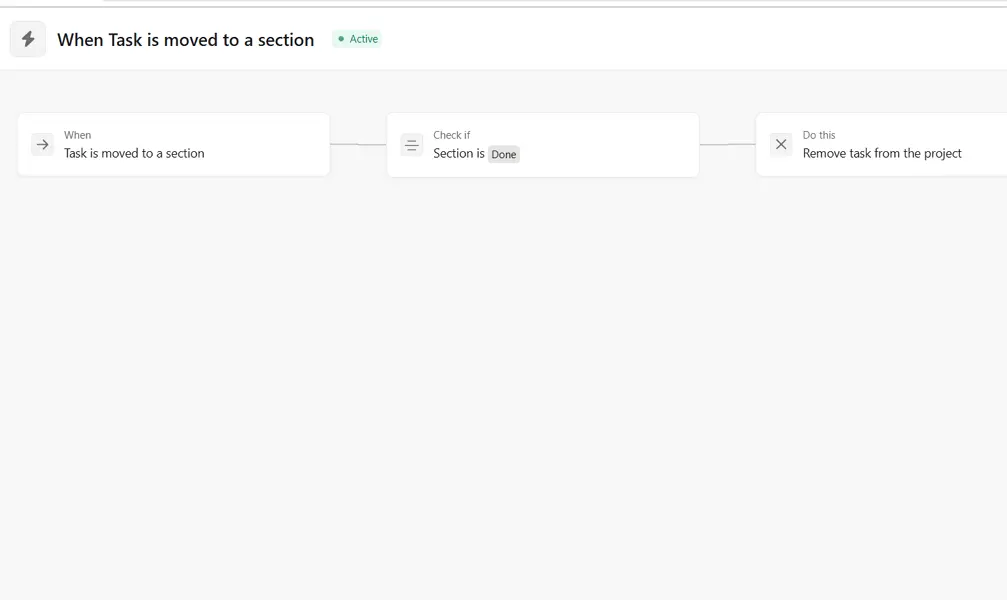
Can Asana automate repetitive tasks?+

Yes. Asana includes workflow automation tools that can automatically assign tasks, update statuses, notify team members, and trigger actions based on predefined rules.