
Remotewize
Basecamp logo

Basecamp

4.3
Starting at FreeTrial available

Basecamp is a project management and team communication platform that centralizes tasks, file sharing, schedules, and messaging in one place. It helps teams reduce reliance on scattered emails and disconnected tools. Designed for small...

Last updated: June 29, 2026

What is Basecamp?

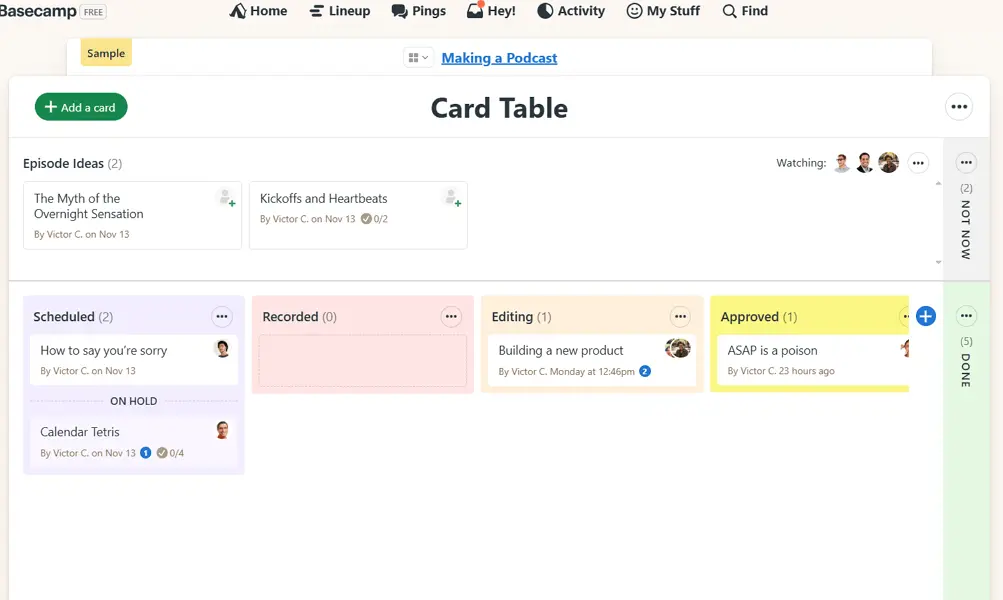
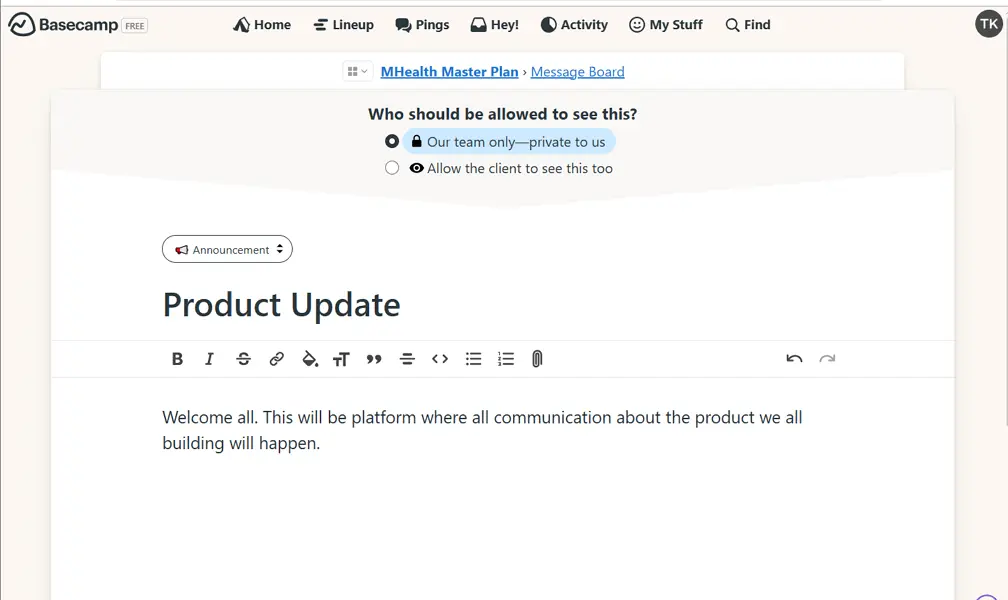
Basecamp is a project management and team communication platform that centralizes tasks, file sharing, schedules, and messaging in one place. It helps teams reduce reliance on scattered emails and disconnected tools. Designed for small to mid-sized businesses, remote teams, freelancers, and agencies, it suits organizations that want a straightforward way to manage projects without complex software.Basecamp's key strength is its simplicity — teams can adopt it quickly without extensive training. Its flat-rate pricing also appeals to growing teams, since costs do not increase per user. However, it lacks advanced features like time tracking, detailed reporting, and task dependencies, which can limit teams that need more granular project oversight or complex workflow management.
Overall Rating

Based on 1 rating

All Reviews →
4.3
4.3

Basecamp Core Ratings

Feature depth7.0
Ease of use9.5
Value for money9.0
Customer support8.8

Starting Price

Free

View pricing page →

Pros

Managers see all overdue work instantly

Full project history visible across distributed teams

Clients kept accountable through documented feedback trails

Decades of 99.99% uptime ensures operational continuity

Flat-rate pricing scales without per-seat penalties

Cons

Reporting depth limited for enterprise-level managers

Advanced workflow automation largely absent for scaling teams

Product gallery

Basecamp Web/Desktop screenshot 1Basecamp Web/Desktop screenshot 2Basecamp Web/Desktop screenshot 3Basecamp Web/Desktop screenshot 4

Who is Basecamp For?

Basecamp is best suited for small businesses, agencies, startups, and remote teams that want a simple, easy-to-use platform for project management and team collaboration.

Why Choose Basecamp?

Choose Basecamp if you lead a distributed team drowning in fragmented tools, scattered email threads, and accountability gaps. Its core differentiator isn't feature volume — it's deliberate simplicity backed by 25 years of refinement. Unlike Asana or Monday.com, Basecamp consolidates messaging, tasks, file sharing, and scheduling into one opinionated system that teams actually adopt consistently, not just administrators configure.As a manager, you gain immediate visibility into what's overdue, who owns what, and where projects stand — without chasing status updates. Users on G2 and Capterra consistently cite fewer dropped tasks and cleaner client communication as measurable outcomes. With 99.99% historical uptime and a 27-year profitable track record, Basecamp is infrastructure you can depend on. If operational clarity matters more than endless customization, choose Basecamp.

Basecamp Benefits and Features

Basecamp's task management system organizes work into discrete, assignable items tied to specific projects. Each task carries a responsible owner, a due date, and a completion status, giving every piece of work a clear home rather than floating loosely across emails or chat threads.As a manager, you assign tasks directly to team members, set deadlines, and monitor progress without scheduling a single check-in call. You can see at a glance what's open, overdue, or completed across any project, letting you intervene early when something risks falling behind.For distributed teams operating across time zones, this kind of structured visibility is essential. You no longer rely on people volunteering status updates — the system shows you who owns what and whether it's moving forward, giving you reliable oversight without micromanaging.

How Much Does Basecamp Cost

Free plan

A vendor-defined tier for teams comparing cost, limits, and fit.

$0

Try for free

It includes:

  • One project
  • Completely free
  • 1 GB storage space
  • Upgrade later if you need more projects or storage space

Basecamp plus

A vendor-defined tier for teams comparing cost, limits, and fit.

$15

Per user, per month

Try for free

It includes:

  • 500 GB storage space
  • Unlimited projects
  • 24/7/365 customer support
  • Purchase optional Timesheet and Admin Pro Pack upgrades
  • Month-to-month billing
  • Pay-per-user pricing

Basecamp pro unlimited

A vendor-defined tier for teams comparing cost, limits, and fit.

$299

Per user, per month

Try for free

It includes:

  • 5 terabytes storage space
  • Includes Admin Pro Pack upgrade ?
  • Fixed price no per-user charges
  • Unlimited projects
  • Billed in one lump sum annually for simplified accounting. Or $349/month if you prefer to pay monthly.
  • Includes Timesheet upgrade ?

Basecamp Integrations

ZapierZoho FlowCockcampTimelyAnyWebhook

Technical Details

Deployment

  • cloud

Device supported

  • windows
  • macos
  • android
  • ios
  • chrome-extension
  • web

Language supported

  • English

Customer Support

  • Email
  • Ticket
  • Community
  • Social media
  • Help center

Security and Compliance

  • Encryption at rest
  • Encryption in transit
  • GDPR Compliance
  • Role-Based Access Control (RBAC)
  • Multi-Factor Authentication (MFA)

Basecamp Reviews

We are still refining the full reviews experience. For now, use the overview ratings card above for the product's rating snapshot.

No reviews yet. Be the first to share your experience with Basecamp.

Write a review

Basecamp FAQs

What is Basecamp used for?+

Basecamp is a project management and team collaboration platform that helps teams organize projects, communicate, share files, manage tasks, and track work from a centralized workspace

Is Basecamp good for remote teams?+

Yes. Basecamp was built with distributed teams in mind and provides tools for communication, task management, file sharing, scheduling, and project coordination without requiring multiple separate applications.

Does Basecamp offer a free plan?+

Yes. Basecamp offers a free version for personal use and small projects. Businesses that need unlimited projects, advanced administration controls, and larger team collaboration typically require a paid plan.

How much does Basecamp cost?+

Basecamp offers simple pricing compared to many competitors. Organizations can typically choose between per-user pricing and flat-rate pricing options, depending on team size and requirements.

Does Basecamp have built-in team chat?+

Yes. Basecamp includes a real-time group chat feature called Campfire, which allows team members to communicate without relying on separate messaging platforms.

Does Basecamp support task management?+

Yes. Teams can create task lists, assign responsibilities, set due dates, track progress, and organize work using Basecamp's to-do list system.

Does Basecamp have Gantt charts?+

No. Basecamp does not offer native Gantt charts or advanced timeline planning tools. Teams requiring detailed project scheduling may prefer alternatives such as Wrike or ClickUp.

Does Basecamp offer time tracking?+

No. Basecamp does not include built-in time tracking. However, it integrates with third-party time tracking tools for teams that need timesheets and billable hour tracking.

Does Basecamp have workflow automation?+

Basecamp focuses on simplicity and offers limited workflow automation compared to platforms such as monday.com or ClickUp.

Is Basecamp easy to use?+

Yes. Basecamp is widely regarded as one of the easiest project management platforms to learn because of its clean interface, simple navigation, and minimal setup requirements.

Is Basecamp secure?+

Yes. Basecamp provides security features such as encrypted data transmission, user permissions, access controls, and regular backups to help protect business data.