Remotewize
Monday.com logo

Monday.com

4.5
Starting at FreeTrial available

monday.com is a cloud-based work management platform that helps teams plan projects, track tasks, and coordinate workflows in one shared space. With its visual interface, flexible project views, and extensive third-party integrations, the platform...

Last updated: June 17, 2026

What is Monday.com?

monday.com is a cloud-based work management platform that helps teams plan projects, track tasks, and coordinate workflows in one shared space. With its visual interface, flexible project views, and extensive third-party integrations, the platform gives remote teams the firepower to stay aligned and on top of project progress.
We found it particularly valuable for teams looking to replace fragmented spreadsheets, email chains, and disconnected collaboration tools with a centralized workspace that keeps projects, communication, and workflows organized in one place.
Considering its robust feature set, monday.com is well-suited for organizations of all sizes, from startups and small businesses to large enterprises. It serves a wide range of industries, including marketing, software development, human resources, and operations.
That said, monday.com pricing can climb steeply as teams grow, and certain advanced features are locked behind higher-tier plans, making it less accessible to budget-conscious smaller teams.
Overall Rating

Based on 1 rating

All Reviews →
4.5
4.5

Monday.com Core Ratings

Feature depth8.5
Ease of use9.0
Value for money8.0
Customer support8.5

Starting Price

Free

View pricing page →

Pros

Unified visibility across distributed team workflows

AI agents automate cross-departmental remote operations

Single platform spans HR

IT

and PMO

Dashboards surface real-time distributed team progress

Automations reduce manual oversight for remote managers

Cons

Seat-based pricing strains growing distributed teams

Platform breadth steepens administrator configuration burden

Product gallery

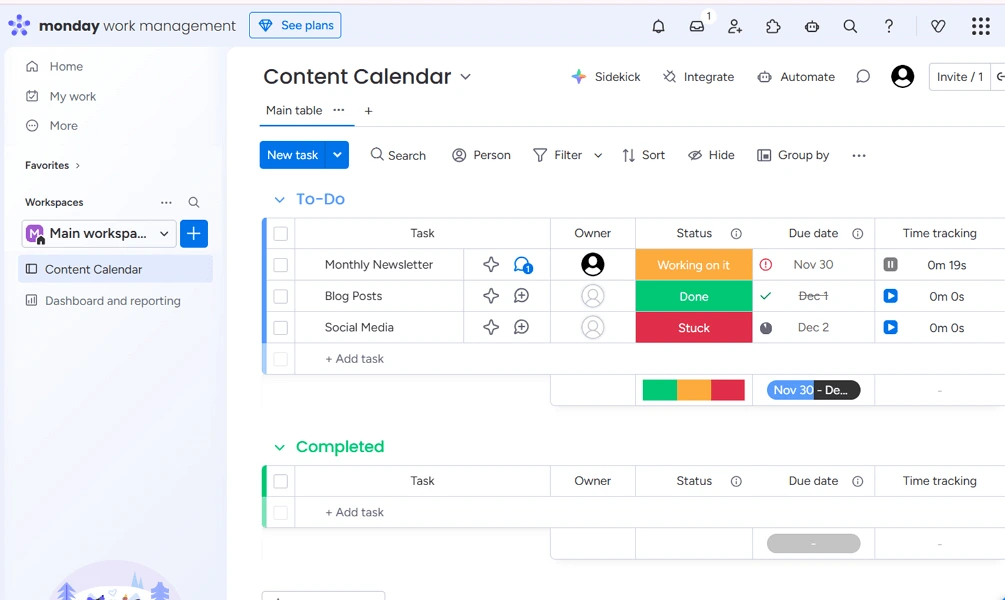
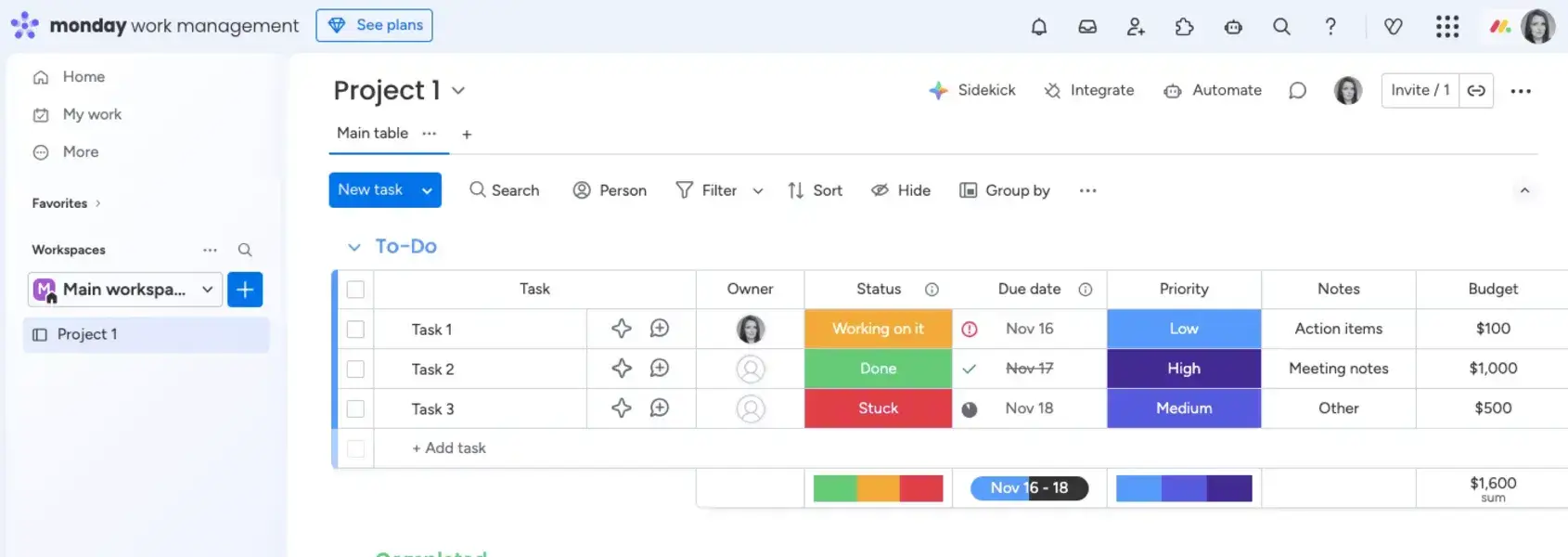
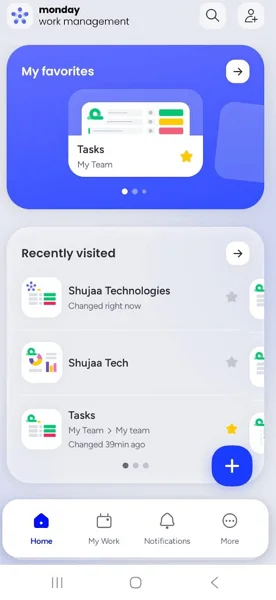
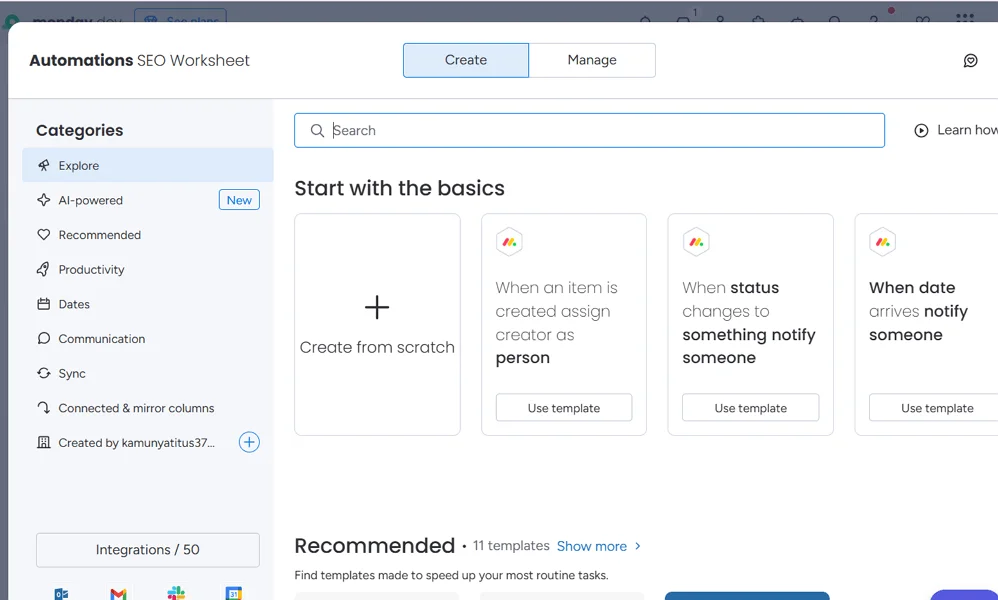
Monday.com Web/Desktop screenshot 1Monday.com Web/Desktop screenshot 2Monday.com Web/Desktop screenshot 3Monday.com Web/Desktop screenshot 4

Who is Monday.com For?

  • Freelancers
  • Small Teams 
  • Growing Businesses 
  • Mid-Sized Businesses
  • Large Businesses 


Why Choose Monday.com?

Choose monday.com if you need a project management platform that combines project planning, time tracking, AI-powered task assistance, workflow automation, and goal management.
Its broad feature set enables teams to manage projects, tasks, resources, communications, and business objectives from a single hub, eliminating fragmented visibility and disconnected workflows that often leave remote and hybrid teams struggling to stay aligned and productive.
For remote team leaders, monday.com translates directly into fewer status meetings, faster decision-making, and cleaner accountability chains. Dashboards surface blockers before they escalate, automations reduce manual follow-up, and AI agents handle routine coordination — freeing you to manage outcomes, not chase updates. Users consistently cite visibility and ease of adoption as standout strengths.

Monday.com Benefits and Features

monday.com lets you switch between Board, Timeline, Gantt, Calendar, Map, and Workload views — each presenting the same underlying data through a different operational lens. Rather than maintaining separate tracking systems, you work from one source of truth while choosing the format that best serves the decision at hand.
As a manager, you toggle between views depending on what you need to assess. Use the Workload view to spot overburdened team members before burnout hits, or switch to the Timeline to assess whether a product launch is on track to meet its deadline. You configure which views are available to your team without disrupting their workflows.
For distributed teams operating across time zones, this flexibility is particularly valuable. You can review capacity in the morning standup using one format, then share a client-facing Gantt later that afternoon — all without rebuilding anything. It eliminates the coordination overhead that typically slows down remote operations.

Monday.com AI Features

AI Workflows in monday.com combine automation rules with AI-powered actions to streamline multi-step processes. Beyond traditional if/then automations, AI can classify items, extract key information, summarize content, draft responses, and route work based on the context of incoming requests. These workflows are configured through a no-code visual builder.As an operations leader, you can use AI Workflows to reduce repetitive manual decisions—such as triaging requests, categorizing support tickets, enriching records, or escalating items that meet predefined criteria. Once configured, the system applies these processes consistently across teams.For remote teams, maintaining process consistency can be challenging. AI Workflows help standardize execution by automatically applying predefined business rules and AI-driven actions regardless of location or time zone. The result is less manual effort, fewer process bottlenecks, and more predictable outcomes across distributed teams

How Much Does Monday.com Cost

Free plan

A vendor-defined tier for teams comparing cost, limits, and fit.

$0

Try for free

It includes:

  • 8 column types
  • Up to 3 Docs
  • iOS and Android apps
  • 200+ templates
  • Up to 3 boards

Basic

A vendor-defined tier for teams comparing cost, limits, and fit.

$9

Per user, per month

Try for free

It includes:

  • All features on free plan
  • plus
  • Unlimited items
  • Create a dashboard based on 1 board
  • 5GB file storage
  • Prioritised customer support

Standard

A vendor-defined tier for teams comparing cost, limits, and fit.

$12

Per user, per month

Try for free

It includes:

  • All features on basic plan
  • plus
  • Calendar View
  • Create a dashboard that combines 5 boards
  • Timeline & Gantt views
  • Guest access

Pro

A vendor-defined tier for teams comparing cost, limits, and fit.

$19

Per user, per month

Try for free

It includes:

  • All features on standard plan
  • plus
  • Time tracking
  • Automations (25K actions per month)
  • Integrations (25K actions per month)
  • Formula Column

Enterprise

A vendor-defined tier for teams comparing cost, limits, and fit.

contact sales

Try for free

It includes:

  • All features on pro plan
  • plus
  • Enterprise-grade security & governance
  • Portfolio management
  • Trial AI credits
  • Multi-level permissions

Monday.com Integrations

SlackOutlookSalesforceJiraGoogle WorkspaceZoom

Technical Details

Deployment

  • cloud

Device supported

  • windows
  • macos
  • linux
  • android
  • ios
  • web

Language supported

  • English
  • Spanish
  • French
  • German
  • Portuguese
  • Japanese
  • Dutch
  • Italian
  • Polish
  • Korean

Customer Support

  • Live chat
  • Email
  • Ticket
  • Community
  • Social media
  • Help center
  • AI-assisted chat

Security and Compliance

  • Encryption at rest
  • Encryption in transit
  • GDPR Compliance
  • HIPAA Compliance
  • SOC 2 Type II
  • ISO 27001
  • Role-Based Access Control (RBAC)
  • Multi-Factor Authentication (MFA)
  • Single Sign-On (SSO)
  • Data loss prevention (DLP)
  • Disaster recovery plan
  • Audit logs

Monday.com Reviews

We are still refining the full reviews experience. For now, use the overview ratings card above for the product's rating snapshot.

No reviews yet. Be the first to share your experience with Monday.com.

Write a review

Monday.com FAQs

What is monday.com used for?+

monday.com is a work management platform that helps teams plan projects, manage tasks, track workflows, collaborate, and automate repetitive processes from a centralized workspace.

Is monday.com free?+

Yes. monday.com offers a free plan for individuals and small teams. However, advanced features such as automations, time tracking, dashboards, and integrations are available on paid plans.

How much does monday.com cost?+

monday.com offers multiple pricing tiers, including Free, Basic, Standard, Pro, and Enterprise plans. Pricing generally increases based on team size and access to advanced features

Is monday.com good for remote teams?+

Yes. monday.com is well-suited for remote and hybrid teams because it centralizes communication, project updates, files, timelines, and task management on a single platform.

Does monday.com have time tracking?+

Yes. monday.com includes built-in time tracking on selected paid plans, allowing teams to monitor how much time is spent on tasks and projects.

Can monday.com be used as a CRM?+

Yes. monday.com can be customized to function as a CRM for managing leads, sales pipelines, customer relationships, and deal tracking. It also offers a dedicated CRM product.

Is monday.com easy to use?+

Yes. monday.com is known for its intuitive visual interface, drag-and-drop functionality, and customizable workflows. Most users can get started quickly without extensive training.

Does monday.com have Gantt charts?+

Yes. monday.com includes Gantt chart views that help teams visualize project timelines, dependencies, milestones, and deadlines.

Is monday.com secure?+

Yes. monday.com offers enterprise-grade security features, including role-based permissions, single sign-on (SSO), audit logs, data encryption, and compliance certifications.

Does monday.com offer mobile apps?+

Yes. monday.com provides mobile apps for both iOS and Android, allowing users to update projects, communicate with teammates, and track progress from anywhere.