Remotewize
Plaky logo

Plaky

4.2
Starting at FreeTrial available

Plaky is a project management tool that helps teams plan, track, and organize work across multiple projects. It offers task boards, visual project views, and team collaboration features suited to small and mid-sized businesses,...

Last updated: June 29, 2026

What is Plaky?

Plaky is a project management tool that helps teams plan, track, and organize work across multiple projects. It offers task boards, visual project views, and team collaboration features suited to small and mid-sized businesses, remote teams, and agencies looking for a straightforward way to manage workflows without a steep learning curve.Plaky stands out for its generous free plan, which supports unlimited users and projects — a notable advantage for budget-conscious teams. However, advanced features such as automations and deeper integrations are locked behind paid tiers, which may limit its usefulness for teams needing more sophisticated workflow management as they scale.
Overall Rating

Based on 1 rating

All Reviews →
4.2
4.2

Plaky Core Ratings

Feature depth7.0
Ease of use9.0
Value for money9.0
Customer support8.0

Starting Price

Free

View pricing page →

Pros

Unlimited users and projects on free forever plan

Centralized task visibility across distributed teams

Real-time notifications keep remote managers informed

Custom fields and filters streamline workforce oversight

Automations reduce manual coordination across time zones

Cons

Limited integrations beyond Pumble and Clockify

Reporting depth may frustrate data-driven managers

Product gallery

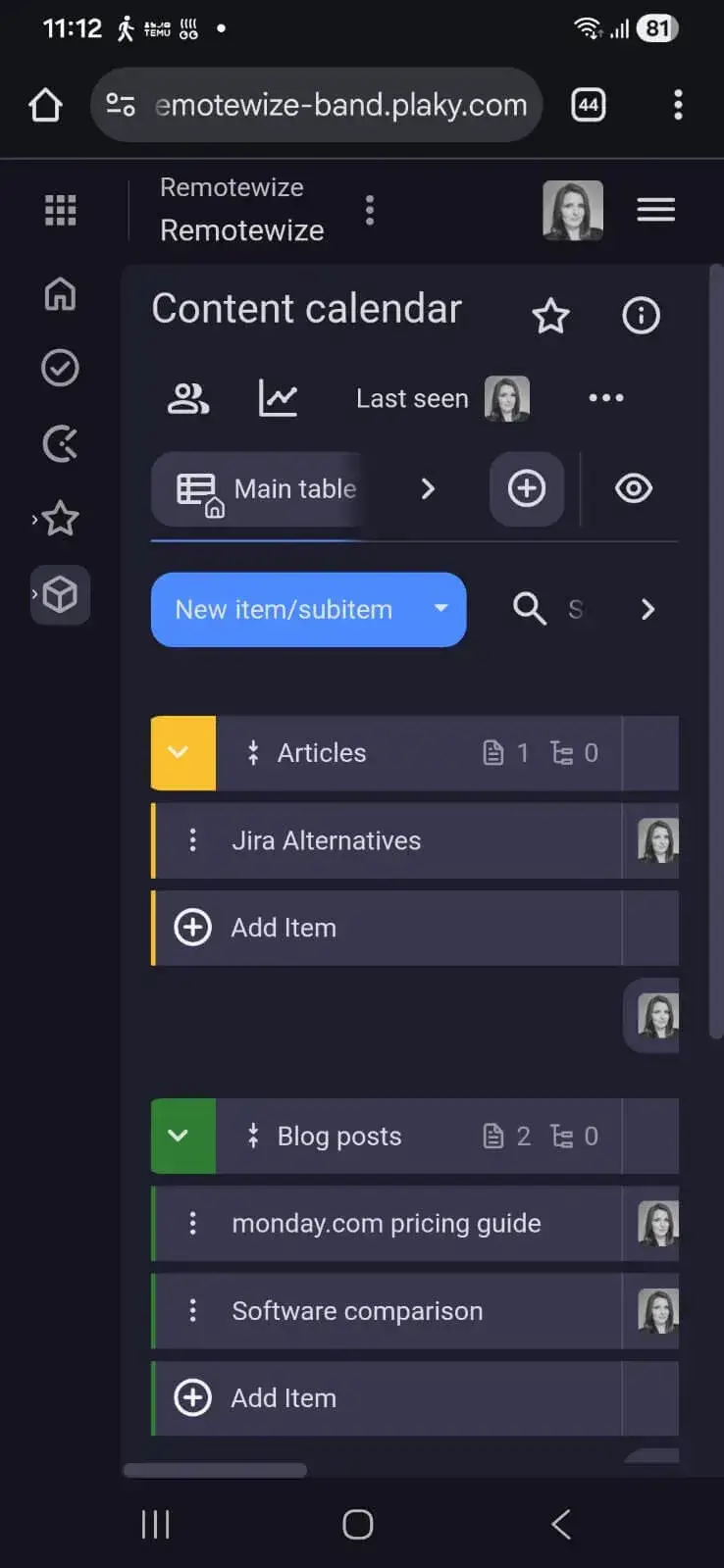
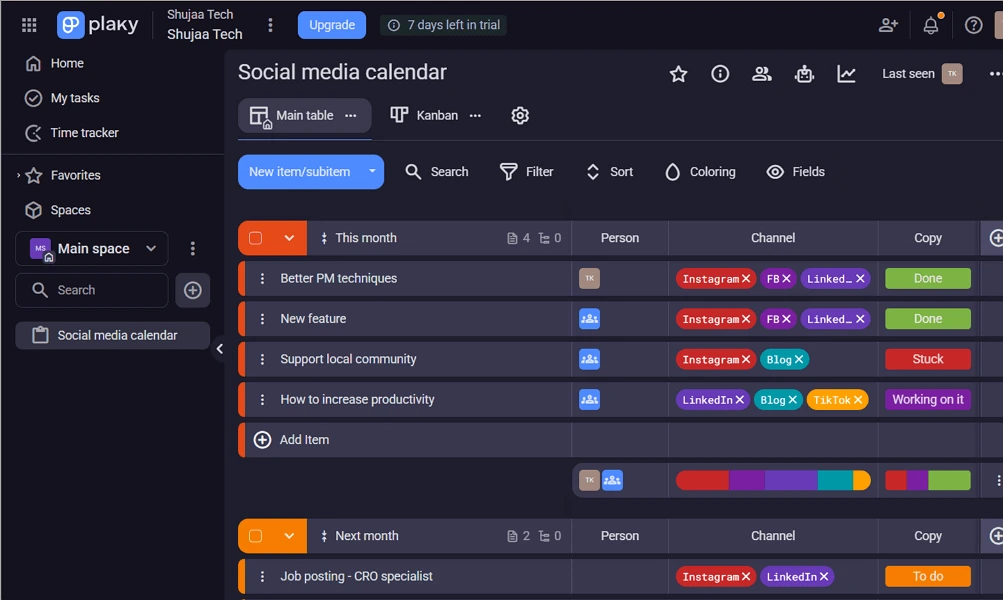
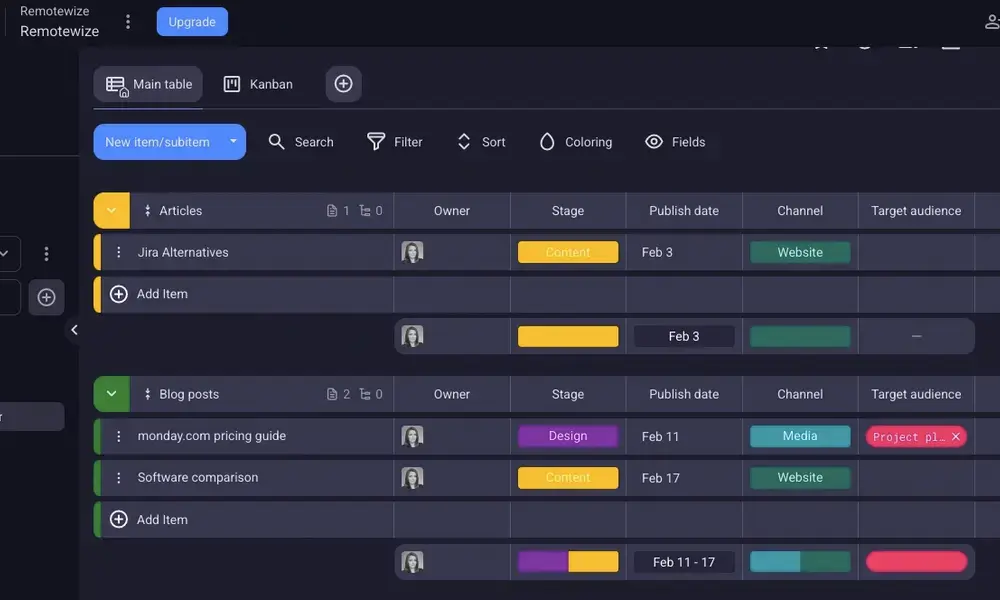
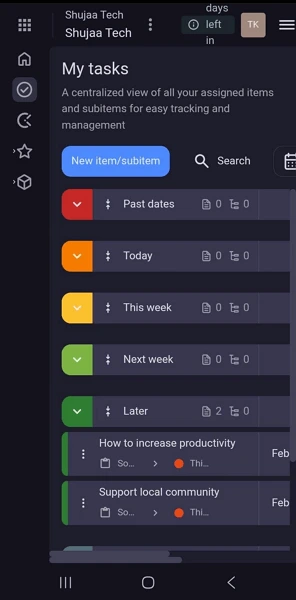
Plaky Web/Desktop screenshot 1Plaky Web/Desktop screenshot 2Plaky Web/Desktop screenshot 3Plaky Web/Desktop screenshot 4

Who is Plaky For?

Plaky is best suited for freelancers, startups, small businesses, agencies, and growing teams that need a simple, affordable project management tool without the complexity of enterprise platforms

Why Choose Plaky?

Choose Plaky if you're leading a small-to-mid-sized distributed team that's drowning in scattered task updates, missed deadlines, and over-reliance on status calls. Its genuinely unlimited free tier — covering unlimited users and projects — gives operations leads a rare opportunity to centralize work visibility without a per-seat cost penalty, a structural advantage over Monday.com and Asana at comparable team sizes.Where Plaky delivers for remote managers is in eliminating the coordination overhead that kills async productivity. Custom fields, threaded comments, and real-time notifications mean your team leads spend less time chasing updates and more time executing. Users consistently cite faster internal communication and cleaner project visibility as immediate wins. If budget discipline and straightforward oversight matter more than enterprise complexity, Plaky earns a confident recommendation.

Plaky Benefits and Features

Plaky's task management system lets you break projects into structured, trackable units — each with assignees, due dates, priorities, and custom fields. Everything lives on a centralized board, giving your team a single source of truth rather than scattered spreadsheets or email threads.As a manager, you configure boards to mirror how your team actually works — by department, project phase, or client. You assign ownership, set deadlines, and define priorities without chasing people down. Every task's status is visible at a glance, so you always know what's moving and what's stalled.For distributed teams operating across time zones, this visibility is essential. You don't need a status meeting to know where things stand — the board tells you. It eliminates the coordination overhead that typically slows remote operations and keeps accountability clear regardless of location.

How Much Does Plaky Cost

Free plan

A vendor-defined tier for teams comparing cost, limits, and fit.

$0

Try for free

It includes:

  • 6 fields per board
  • 10MB storage per file
  • Member and admin user roles
  • Unlimited spaces
  • boards
  • items and views

Pro

A vendor-defined tier for teams comparing cost, limits, and fit.

$3.99

Per user, per month

Try for free

It includes:

  • All features on free plan
  • plus
  • 12 fields per board
  • 25 MB storage per file
  • Private boards
  • view

Enterprise

A vendor-defined tier for teams comparing cost, limits, and fit.

$8.99

Per user, per month

Try for free

It includes:

  • All features on Pro plan
  • plus
  • Unlimited fields per board
  • 100MB storage per file
  • Board permissions
  • Board ownership management

Plaky Integrations

ClockifyPumble

Technical Details

Deployment

  • cloud

Device supported

  • android
  • ios
  • web

Language supported

  • English
  • French
  • Portuguese
  • German
  • Spanish

Customer Support

  • Phone
  • Email
  • Ticket
  • Social media
  • Help center

Security and Compliance

  • Encryption at rest
  • Encryption in transit
  • GDPR Compliance
  • SOC 2 Type II
  • ISO 27001
  • Role-Based Access Control (RBAC)
  • Single Sign-On (SSO)
  • Audit logs

Plaky Reviews

We are still refining the full reviews experience. For now, use the overview ratings card above for the product's rating snapshot.

No reviews yet. Be the first to share your experience with Plaky.

Write a review

Plaky FAQs

What is Plaky used for?+

Plaky is a project and task management platform that helps teams organize projects, assign work, track progress, manage deadlines, and collaborate through customizable boards.

Is Plaky free?+

Yes. Plaky offers a free plan that includes unlimited users, projects, and tasks, making it an attractive option for startups, small businesses, and budget-conscious teams.

Is Plaky good for remote teams?+

Yes. Plaky is designed to help remote and hybrid teams collaborate on projects, track work, and maintain visibility into team progress from a centralized workspace.

Does Plaky support Kanban boards?+

Yes. Plaky's core functionality is built around Kanban-style project boards that allow teams to visualize workflows and track task progress.

Does Plaky have Gantt charts?+

Yes. Plaky includes a Gantt View for timeline-based project planning and tracking, though it may not be as feature-rich as the Gantt chart tools found in specialized project management platforms such as microsoft project.

Does Plaky offer workflow automation?+

Plaky includes some workflow management capabilities, but its automation features are generally less advanced than those found in platforms such as ClickUp or monday.com.

Can users customize project boards?+

Yes. Plaky allows users to customize boards with statuses, custom fields, columns, priorities, due dates, and other project-specific information.

Does Plaky include time tracking?+

Plaky does not have native time tracking built into every workflow. However, it integrates closely with Clockify for time tracking and timesheet management.

Is Plaky easy to use?+

Yes. Plaky is known for its clean interface and straightforward setup, making it easy for teams to start managing projects without extensive training.

Does Plaky support task dependencies?+

Plaky offers basic project planning features, but it is not as feature-rich as enterprise project management platforms when it comes to advanced dependency management and portfolio planning.

What are Plaky's biggest limitations?+

Compared to more advanced project management tools, Plaky offers fewer automation options, limited reporting, less sophisticated resource management, and fewer enterprise-level project planning features. Teams managing highly complex projects may eventually outgrow the platform.