Remotewize
Smartsheet logo

Smartsheet

4.6
Starting at FreeTrial available

Smartsheet is a cloud-based work management platform that helps teams plan, track, and collaborate on projects using a familiar spreadsheet-style interface. It is designed for businesses of all sizes, from small teams to large...

Last updated: June 29, 2026

What is Smartsheet?

Smartsheet is a cloud-based work management platform that helps teams plan, track, and collaborate on projects using a familiar spreadsheet-style interface. It is designed for businesses of all sizes, from small teams to large enterprises, and suits project managers, operations teams, and departments that need to coordinate complex workflows, automate repetitive tasks, and report on progress across multiple projects.Smartsheet is praised for its flexible grid interface, strong automation features, and wide range of integrations with tools like Microsoft 365 and Google Workspace. However, reviewers frequently note that the platform carries a steeper learning curve than simpler project tools, and its pricing can feel expensive for smaller teams who may not need its full feature set.
Overall Rating

Based on 1 rating

All Reviews →
4.6
4.6

Smartsheet Core Ratings

Feature depth9.2
Ease of use8.0
Value for money8.2
Customer support8.5

Starting Price

Free

View pricing page →

Pros

Real-time portfolio visibility across distributed teams

Cross-tool integrations keep remote workflows connected

Role-based dashboards give managers clear oversight

AI surfaces insights without requiring expert analysis

Scales from business PMO to enterprise-wide operations

Cons

Steep learning curve for non-technical team administrators

Advanced features locked behind higher-tier pricing plans

Product gallery

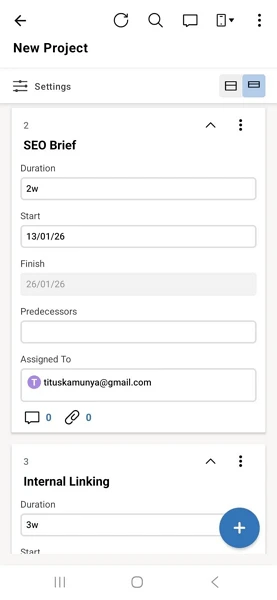
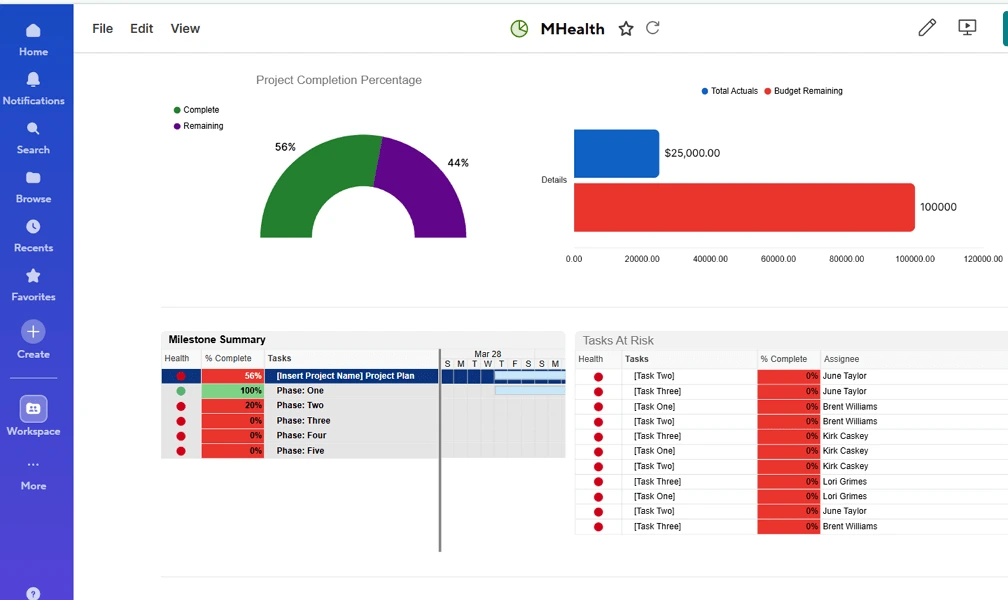
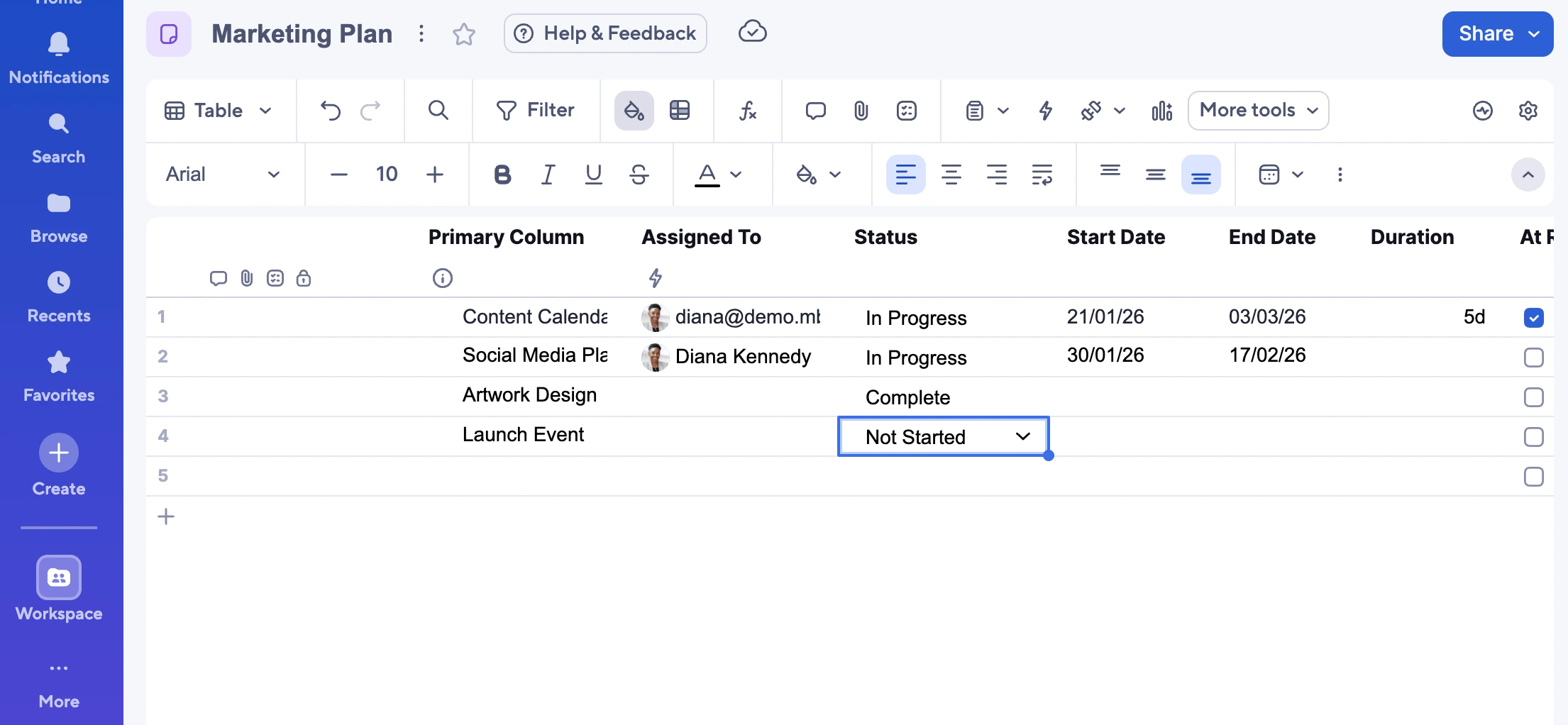
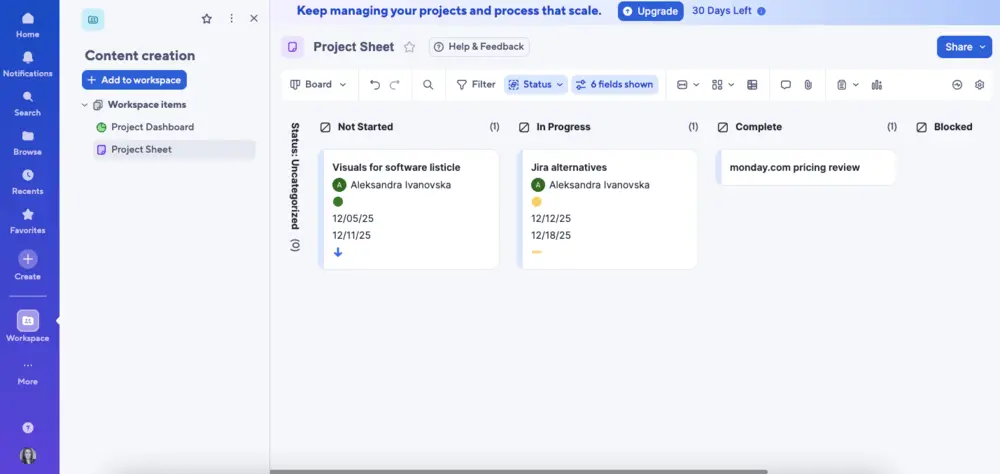
Smartsheet Web/Desktop screenshot 1Smartsheet Web/Desktop screenshot 2Smartsheet Web/Desktop screenshot 3Smartsheet Web/Desktop screenshot 4

Who is Smartsheet For?

Smartsheet is best suited for mid-sized businesses, enterprises, project managers, and operations teams that need scalable work management, automation, reporting, and cross-functional collaboration

Why Choose Smartsheet?

Choose Smartsheet if you're leading a mid-to-large distributed team that manages complex, cross-functional projects and needs more than a simple task tracker. Its combination of AI-driven insights, portfolio-level dashboards, and role-based visibility gives operations leaders genuine oversight across teams — not just status updates. That structural depth is where it consistently outpaces lighter tools like Asana or Monday.com.
For distributed teams, the practical payoff is real: Roche managed 30% more projects without adding headcount, and Uber cut marketing lifecycle time by 45%. Deep integrations with Slack, Salesforce, Jira, and Microsoft keep dispersed workflows connected without forcing tool consolidation. If you're overseeing multiple teams across time zones and need portfolio-wide accountability, Smartsheet is the right infrastructure investment.

Smartsheet Benefits and Features

Intelligent Forms let you collect structured data from anyone — team members, clients, or vendors — through customizable forms that feed directly into your Smartsheet grids. Conditional logic means respondents only see questions relevant to their answers, keeping submissions clean and reducing the noise you'd otherwise have to sort through manually.As a manager, you configure which fields are required, set dropdown options, and map responses to specific columns in your tracking sheet. You can also restrict form access by domain or require login, giving you control over who submits data and ensuring accountability from the start.When your team is distributed across time zones, chasing updates via email or chat becomes a coordination nightmare. These forms give you a single, consistent intake point — whether you're gathering project requests, onboarding information, or incident reports — so nothing falls through the cracks regardless of where your team is located.

Smartsheet AI Features

Smartsheet AI embeds generative AI capabilities directly into your workspace — analyzing project data, writing formulas, summarizing sheet content, and drafting text — all triggered through natural language prompts. You describe what you need in plain language, and the system translates that into actionable outputs within your existing sheets.As a manager, you can ask it to summarize project status across a sheet, generate a formula to calculate overdue tasks, or draft a stakeholder update based on current data. You don't need technical expertise or time to build manual reports — you describe the outcome and the AI does the construction work.For leaders overseeing complex, distributed operations, this reduces the gap between having data and being able to act on it quickly. Insights that would previously require analyst support or hours of manual work become accessible on demand, letting you make faster, better-informed decisions without adding operational overhead.

How Much Does Smartsheet Cost

Pro

A vendor-defined tier for teams comparing cost, limits, and fit.

$9

Try for free

It includes:

  • 1-10 members
  • Unlimite contributors
  • Unlimited sheets
  • forms
  • and reports
  • 250 automations per month

Business

A vendor-defined tier for teams comparing cost, limits, and fit.

$19

Per user, per month

Try for free

It includes:

  • All features on pro plan
  • plus
  • 3+members
  • Unlimited Guests and contributors
  • 1 TB attachment storage
  • Visualize

Enterprise

A vendor-defined tier for teams comparing cost, limits, and fit.

Contact Sales

Try for free

It includes:

  • All features on Business plan
  • plus
  • 10+ members
  • Enterprise Plan Manager
  • Portfolios
  • SAML-based SSO

Advanced Work Management

A vendor-defined tier for teams comparing cost, limits, and fit.

Contact Sales

Try for free

It includes:

  • All features on Enterprise plan
  • plus
  • DataMesh
  • Connectors
  • Calendar App
  • Premium Support

Smartsheet Integrations

JiraSalesforceTebluaeMicrosoft CopilotChatGpt

Technical Details

Deployment

  • cloud

Device supported

  • windows
  • macos
  • android
  • ios
  • web
  • chrome-extension

Language supported

  • English
  • French
  • German
  • Italian
  • Portuguese
  • Russian
  • Spanish

Customer Support

  • Live chat
  • Phone
  • Ticket
  • Community
  • Social media
  • Help center
  • AI-assisted chat

Security and Compliance

  • Encryption at rest
  • Encryption in transit
  • GDPR Compliance
  • HIPAA Compliance
  • SOC 2 Type II
  • ISO 27001
  • Role-Based Access Control (RBAC)
  • Multi-Factor Authentication (MFA)
  • Single Sign-On (SSO)
  • Disaster recovery plan
  • Audit logs

Smartsheet Reviews

We are still refining the full reviews experience. For now, use the overview ratings card above for the product's rating snapshot.

No reviews yet. Be the first to share your experience with Smartsheet.

Write a review

Smartsheet FAQs

What is Smartsheets used for?+

Smartsheet is a work management platform that combines spreadsheet-style project management with workflow automation, collaboration, reporting, and resource management tools.

Is Smartsheets good for remote teams?+

Yes. Smartsheet helps remote and hybrid teams collaborate on projects, manage workflows, track tasks, share documents, and monitor progress from a centralized workspace.

Is Smartsheets a spreadsheet or a project management tool?+

Both. Smartsheet uses a familiar spreadsheet-style interface but adds project management, workflow automation, reporting, dashboards, and collaboration capabilities that go beyond traditional spreadsheets.

Does Smartsheets offer a free plan?+

No for new users. Smartsheet discontinued its Free plan for new signups in August 2024 and now offers a 30-day free trial instead. Existing users who already had a Free plan may continue using it under legacy terms

How much does Smartsheets cost?+

Smartsheet offers several pricing plans for individuals, teams, businesses, and enterprises. Costs vary depending on the number of users and access to advanced features.

What is the difference between Smartsheets and Excel?+

Smartsheet is designed for collaboration, project management, workflow automation, and reporting, while Microsoft Excel focuses primarily on data analysis, calculations, and spreadsheet management.

Does Smartsheets offer Gantt charts?+

Yes. Smartsheet provides interactive Gantt charts that help teams visualize project schedules, dependencies, milestones, and deadlines.

Is Smartsheets easy to use?+

Users familiar with spreadsheets often find Smartsheet easy to learn. However, mastering advanced automation, reporting, and project management features may require some training.

Is Smartsheets secure?+

Yes. Smartsheet offers enterprise-grade security features including data encryption, role-based permissions, audit logs, single sign-on (SSO), two-factor authentication (2FA), and compliance certifications.

Does Smartsheets have reporting and dashboards?+

Yes. Smartsheet provides customizable dashboards, real-time reporting, analytics, charts, and portfolio views that help teams monitor project performance and business metrics.