Remotewize
Trello logo

Trello

4.4
Starting at FreeTrial available

Trello is a visual project management tool that uses boards, lists, and cards to help teams organize tasks and track work progress. It suits small businesses, freelancers, remote teams, and individuals who need a...

Last updated: June 29, 2026

What is Trello?

Trello is a visual project management tool that uses boards, lists, and cards to help teams organize tasks and track work progress. It suits small businesses, freelancers, remote teams, and individuals who need a straightforward way to manage projects without complex setup. Its drag-and-drop interface makes it accessible to users with little technical experience.Trello's greatest strength is its simplicity and ease of use, supported by a generous free plan that works well for basic project tracking. However, it has notable limitations for larger teams, as advanced features like detailed reporting and automations are locked behind paid plans, and the card-based structure can feel restrictive for managing complex, large-scale projects.
Overall Rating

Based on 1 rating

All Reviews →
4.4
4.4

Trello Core Ratings

Feature depth7.5
Ease of use9.5
Value for money9.0
Customer support7.8

Starting Price

Free

View pricing page →

Pros

Highly visual and intuitive interface

Flexible customization options

Strong automation capabilities

Cons

Learning curve for new users

Higher-tier plans can be pricey

Product gallery

Trello Web/Desktop screenshot 1Trello Web/Desktop screenshot 2Trello Web/Desktop screenshot 3Trello Web/Desktop screenshot 4

Who is Trello For?

Trello is best suited for individuals, freelancers, startups, small businesses, and teams that need a simple, visual Kanban-based project management tool for organizing work and collaborating efficiently

Why Choose Trello?

Choose Trello if you're leading a small-to-mid-size distributed team that needs immediate visibility into who owns what, without a steep learning curve or lengthy onboarding. Its Kanban-based boards, automated workflows, and cross-tool integrations give managers a centralized command layer across async work — and 81% of customers cite ease of use as their primary reason for choosing it over more complex alternatives.For remote team leaders specifically, Trello eliminates the coordination overhead that derails distributed work: scattered task ownership, missed deadlines, and tool fragmentation. Inbox captures action items from Slack and email directly into your workflow, while Butler automation reduces manual follow-up. With 74% of users reporting improved team communication and organizations seeing value within 30 days, Trello earns its place as the go-to starting point for distributed team operations.

Trello Benefits and Features

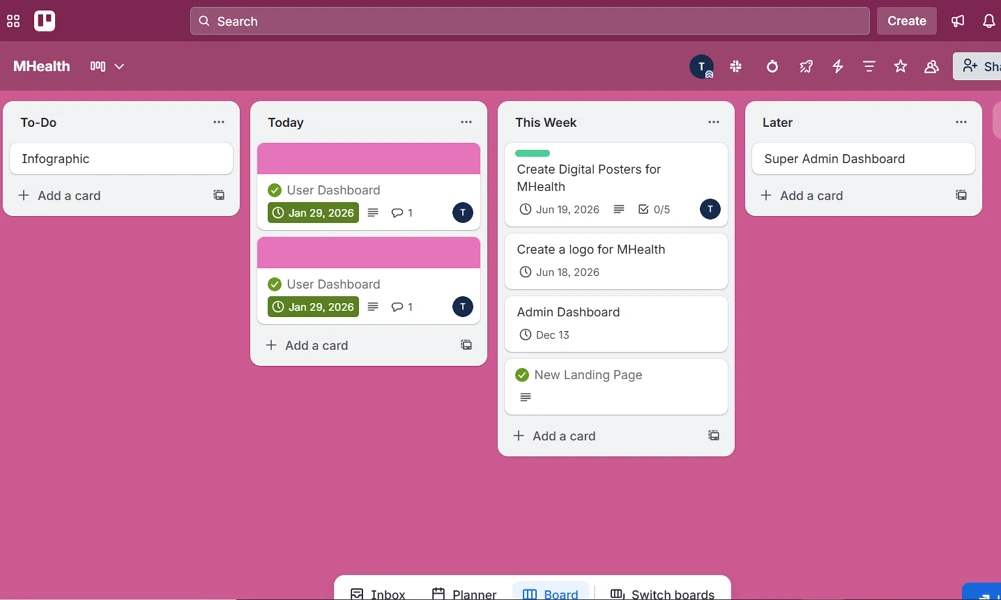
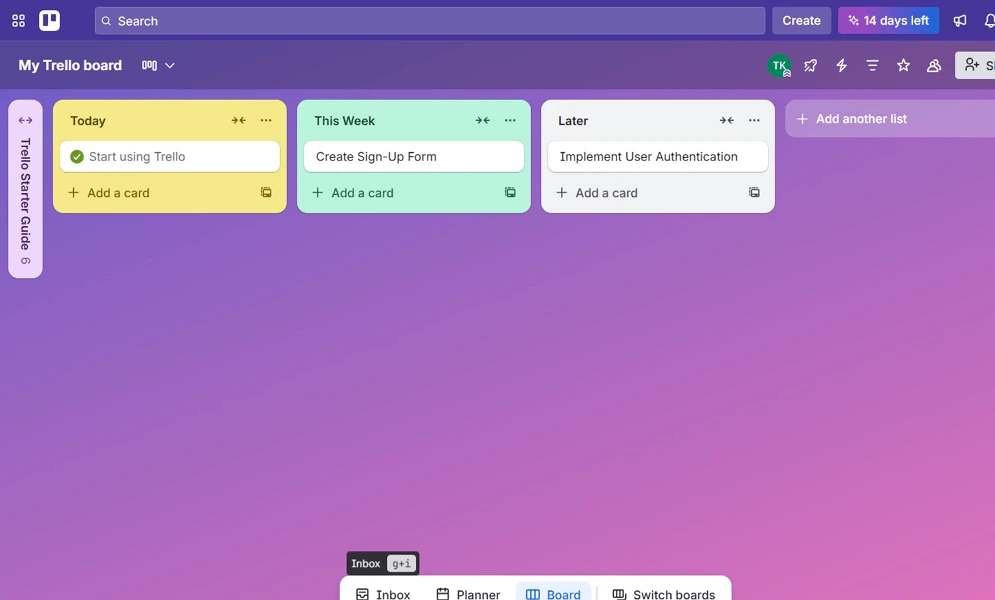
Trello's boards organize work into columns representing stages of progress, with cards representing individual tasks or projects. Each card moves across columns as work advances, giving everyone a shared, real-time picture of where things stand without requiring status meetings or manual updates.
As a manager, you set up columns that mirror your team's actual workflow — whether that's a hiring pipeline, a product launch sequence, or a client onboarding process. You can assign cards to team members, set due dates, and monitor progress at a glance from a single dashboard.
For distributed teams, this visual structure eliminates the ambiguity that derails remote collaboration. You no longer need to chase updates across email threads or Slack channels — the board tells you exactly what's in progress, what's blocked, and what's done.

Trello AI Features

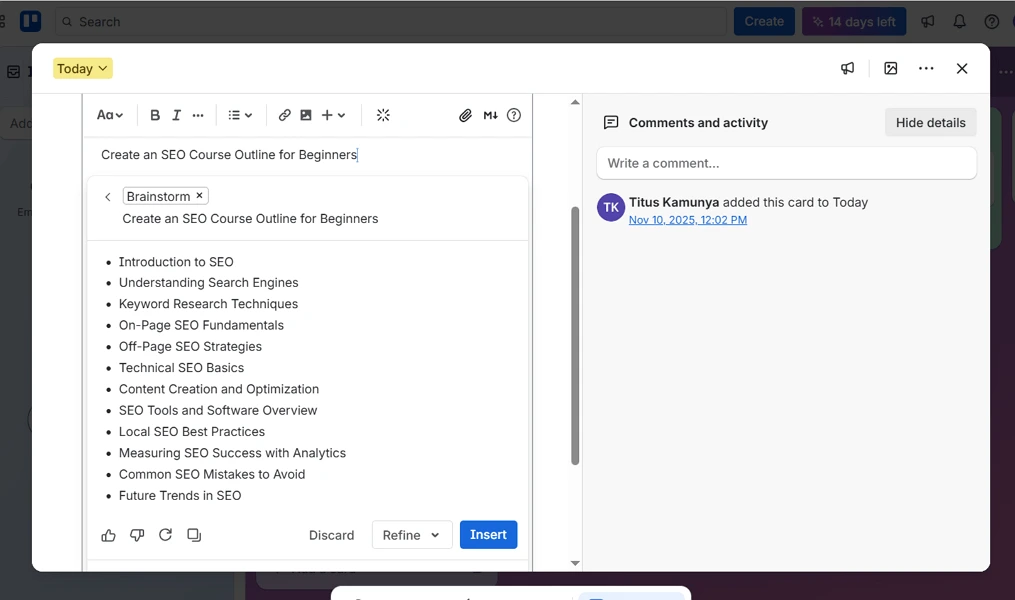
Butler is Trello's built-in automation engine that lets you create rules, buttons, and scheduled commands to handle repetitive actions automatically. When a card is moved to a specific column, for example, Butler can automatically assign a team member, set a due date, and post a Slack notification — all without manual intervention.
As a manager, you configure Butler once and let it enforce your team's process consistently. You can build rules that trigger onboarding checklists when a new hire card is created, archive completed cards on a schedule, or escalate overdue items by adding them to a priority list automatically.
For distributed teams, automation removes the coordination overhead that accumulates when managers can't be present in real time. You ensure that handoffs happen correctly, nothing gets skipped during off-hours, and your operational processes run reliably regardless of time zone or individual availability

How Much Does Trello Cost

Free plan

A vendor-defined tier for teams comparing cost, limits, and fit.

$0

Try for free

It includes:

  • Unlimited storage (10MB/file)
  • Unlimited Power-Ups per board
  • Custom backgrounds & stickers
  • Quickly capture to-dos from email
  • Slack
  • and Teams

Standard

A vendor-defined tier for teams comparing cost, limits, and fit.

$5

Per user, per month

Try for free

It includes:

  • All features on free plan
  • plus
  • Unlimited boards
  • 1
  • 000 Workspace command runs per month
  • List colors

Premium

A vendor-defined tier for teams comparing cost, limits, and fit.

$10

Per user, per month

Try for free

It includes:

  • All features on standard plan
  • plus
  • Unlimited Workspace command runs
  • Simple data export
  • Views: Calendar
  • Timeline

Enterprise

A vendor-defined tier for teams comparing cost, limits, and fit.

$17.50

Per user, per month

Try for free

It includes:

  • All features on premium plan
  • plus
  • Organization-visible boards
  • Attachment permissions
  • Organization-wide permissions
  • Free SSO and user provisioning with Atlassian Guard

Trello Integrations

Integrations are being added.

Technical Details

Deployment

  • cloud

Device supported

  • windows
  • macos
  • android
  • ios
  • web

Language supported

  • English
  • Spanish
  • French
  • Portuguese
  • Italian
  • Dutch
  • Japanese
  • Chinese
  • Russian
  • Polish

Customer Support

  • Email
  • Community
  • Social media
  • Help center
  • AI-assisted chat

Security and Compliance

  • Encryption in transit
  • Encryption at rest
  • GDPR Compliance
  • SOC 2 Type II
  • ISO 27001
  • Role-Based Access Control (RBAC)
  • Multi-Factor Authentication (MFA)
  • Single Sign-On (SSO)
  • Audit logs

Trello Reviews

We are still refining the full reviews experience. For now, use the overview ratings card above for the product's rating snapshot.

No reviews yet. Be the first to share your experience with Trello.

Write a review

Trello FAQs

What is Trello used for?+

Trello is a visual project management tool that helps teams organize tasks, track projects, and collaborate using boards, lists, and cards.

Is Trello free?+

Yes. Trello offers a free plan that includes unlimited cards, basic automation, and collaborative project management tools. Additional features are available on paid plans.

Is Trello good for remote teams?+

Yes. Trello is popular among remote and hybrid teams because it provides a simple visual workspace where everyone can track tasks, deadlines, and project progress.

Can Trello handle complex projects?+

Trello works well for simple to moderately complex projects. Larger organizations with advanced reporting, resource management, or portfolio management needs may require additional Power-Ups or alternative platforms.

Does Trello have Gantt charts?+

Not natively. However, Trello offers Timeline View on certain paid plans, and users can add Gantt-style functionality through Power-Ups and integrations.

Does Trello offer automation?+

Yes. Trello includes Butler Automation, which allows users to automate repetitive workflows, task assignments, status updates, and notifications.

Can Trello track time?+

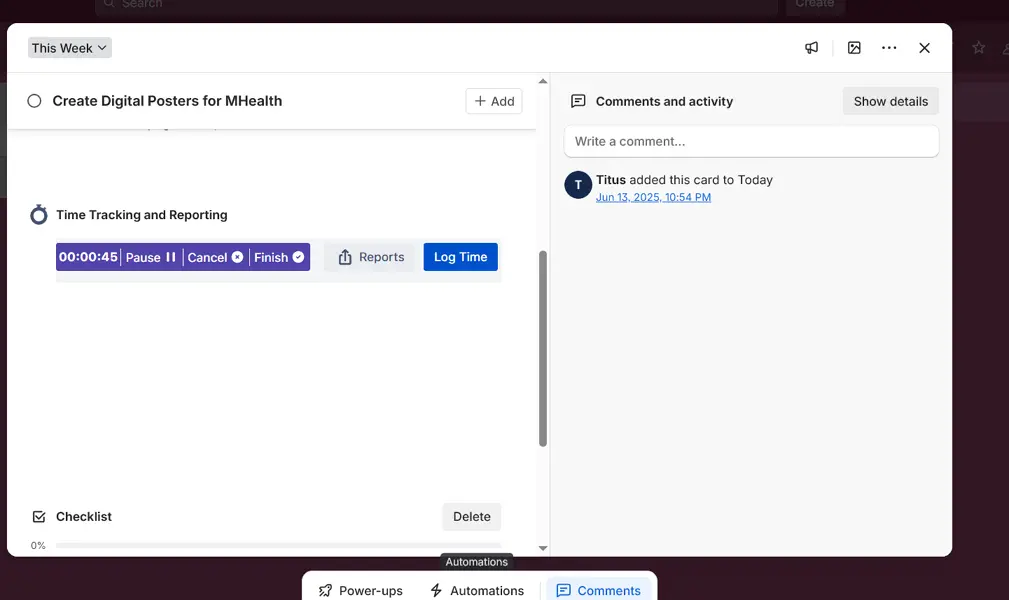
Trello does not include native time tracking. However, it integrates with time-tracking tools such as Clockify, Toggl Track, and Harvest.

Is Trello easy to use?+

Yes. Trello is widely regarded as one of the easiest project management tools to learn due to its intuitive drag-and-drop interface.

Does Trello have a mobile app?+

Yes. Trello offers mobile apps for both iOS and Android, allowing users to manage projects and collaborate on the go.

Is Trello secure?+

Yes. Trello provides security features such as two-factor authentication (2FA), data encryption, user permissions, and enterprise-level administration controls on higher-tier plans.