Remotewize
Zoho Projects logo

Zoho Projects

4.5
Starting at FreeTrial available

Zoho Projects is a cloud-based project management tool that helps teams plan work, track progress, and collaborate in one place. It suits small to mid-sized businesses, remote teams, and organizations already using other Zoho...

Last updated: July 6, 2026

What is Zoho Projects?

Zoho Projects is a cloud-based project management tool that helps teams plan work, track progress, and collaborate in one place. It suits small to mid-sized businesses, remote teams, and organizations already using other Zoho products. Teams use it to manage tasks, set milestones, log time, and coordinate across departments without switching between multiple applications.Zoho Projects stands out for its affordable pricing and deep integration with the broader Zoho ecosystem, making it a practical choice for existing Zoho users. However, reviewers note that the interface can feel cluttered, and users unfamiliar with Zoho's product suite may face a steeper learning curve when getting started.
Overall Rating

Based on 1 rating

All Reviews →
4.5
4.5

Zoho Projects Core Ratings

Feature depth9.0
Ease of use8.0
Value for money9.5
Customer support8.0

Starting Price

Free

View pricing page →

Pros

Gantt charts expose distributed team schedule deviations

Timesheets track billable hours across remote workers

Workflow automation reclaims 10% of workforce time

Deep Zoho ecosystem integration centralizes remote operations

Custom fields and modules adapt to any industry

Cons

Heavy Zoho dependency limits stack flexibility

Feature depth steepens onboarding for new managers

Product gallery

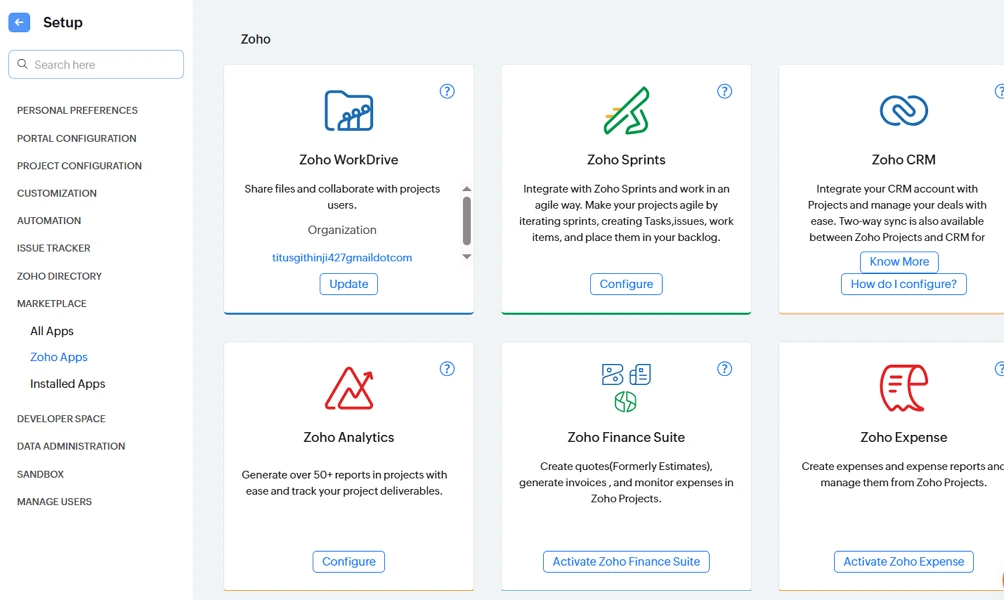
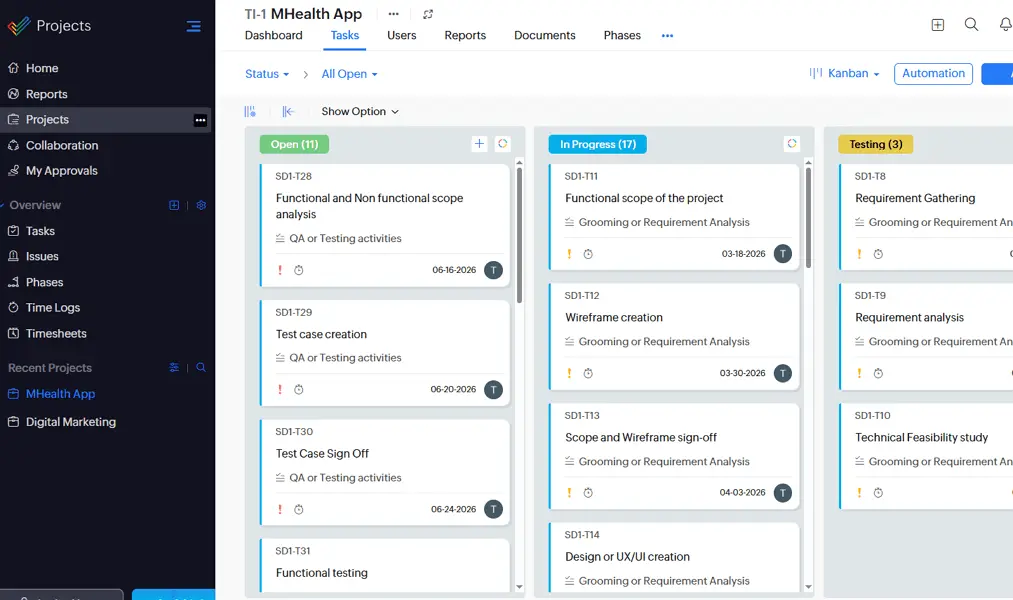
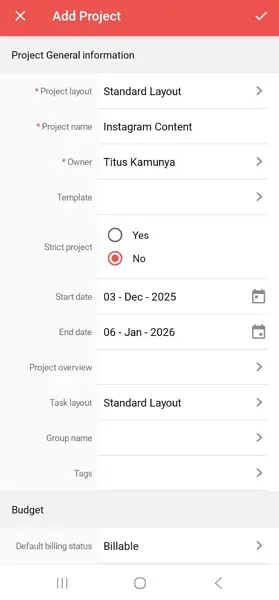
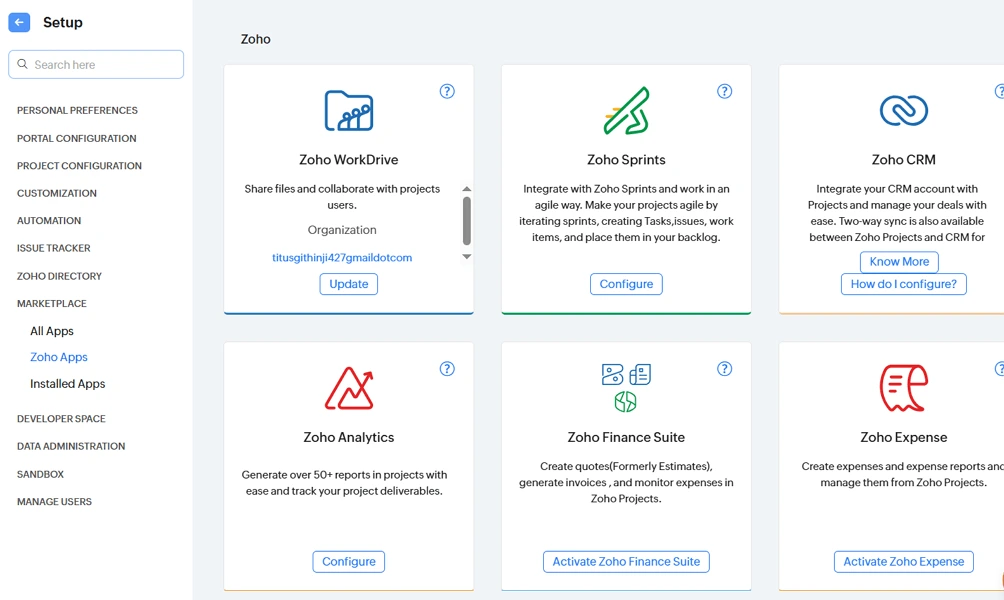
Zoho Projects Web/Desktop screenshot 1Zoho Projects Web/Desktop screenshot 2Zoho Projects Web/Desktop screenshot 3Zoho Projects Web/Desktop screenshot 4

Who is Zoho Projects For?

Zoho Projects is ideal for small businesses, growing teams, mid-sized organizations, and enterprises looking for an affordable project management solution with task tracking, collaboration, and automation

Why Choose Zoho Projects?

Choose Zoho Projects if you're leading a distributed team that needs structured project oversight without the steep learning curve of enterprise tools. Its Gantt charts, dependency tracking, and workflow automation give managers clear visibility across time zones. Backed by 4.5M+ projects and recognition from Forbes and Capterra, it competes directly with Asana and Monday.com at a notably lower price point.The real operational payoff comes from time reclaimed — users report saving roughly 10% of workforce hours through automation alone, while built-in timesheets and Zoho Invoice integration eliminate manual billing cycles entirely. For managers overseeing async teams, customizable workflows and AI-assisted reporting reduce the overhead of status chasing. If your priority is structured control over distributed work without paying enterprise premiums, Zoho Projects is the right call.

Zoho Projects Benefits and Features

Zoho Projects' issue management system gives you a structured way to capture, categorize, and track bugs, blockers, and operational problems as they arise. Each issue is logged with severity levels, assignees, due dates, and status labels — creating a traceable record from identification through resolution.As a manager, you configure custom issue types and priority tiers that reflect your team's actual workflow. You can set escalation rules so high-severity issues automatically surface to the right people, and dashboards let you monitor open versus resolved counts without chasing individual updates.For distributed teams, this removes the chaos of tracking problems across Slack threads or email chains. You always know what's unresolved, who owns it, and how long it's been open — giving you the accountability visibility that's genuinely difficult to maintain when your team spans multiple time zones.

How Much Does Zoho Projects Cost

Free plan

A vendor-defined tier for teams comparing cost, limits, and fit.

$0

Try for free

It includes:

  • 5GB of storage space
  • Whiteboard
  • 3 Projects
  • Subtasks

Premium

A vendor-defined tier for teams comparing cost, limits, and fit.

$4

Per user, per month

Try for free

It includes:

  • All features on free plan
  • plus
  • Time Tracking
  • Project Templates
  • Unlimited projects
  • Zia Insights

Enterprise

A vendor-defined tier for teams comparing cost, limits, and fit.

$9

Per user, per month

Try for free

It includes:

  • All features on premium plan
  • plus
  • Two-Factor Authentication
  • Zia Search
  • Custom Roles & Profiles
  • Custom Fields & Status

Zoho Projects Integrations

Zoho SignJiraBoxGithubZendesk

Technical Details

Deployment

  • cloud

Device supported

  • android
  • ios
  • web
  • chrome-extension

Language supported

  • English
  • Arabic
  • Chinese
  • Czech
  • Danish
  • French
  • German
  • Portuguese
  • Japanese
  • Italian

Customer Support

  • Live chat
  • Phone
  • Email
  • Ticket
  • Community
  • Social media
  • Help center
  • AI-assisted chat

Security and Compliance

  • Encryption at rest
  • Encryption in transit
  • GDPR Compliance
  • SOC 2 Type II
  • ISO 27001
  • Role-Based Access Control (RBAC)
  • Multi-Factor Authentication (MFA)
  • Single Sign-On (SSO)
  • Disaster recovery plan
  • Audit logs

Zoho Projects Reviews

We are still refining the full reviews experience. For now, use the overview ratings card above for the product's rating snapshot.

No reviews yet. Be the first to share your experience with Zoho Projects.

Write a review

Zoho Projects FAQs

What is Zoho Projects used for?+

Zoho Projects is a project management platform that helps teams plan projects, assign tasks, track progress, manage resources, collaborate, and automate workflows from a centralized workspace.

Is Zoho Projects free?+

Yes. Zoho Projects offers a free plan for small teams and simple projects. Businesses that need advanced features such as time tracking, automation, resource management, and advanced reporting must upgrade to a paid plan.

Is Zoho Projects good for remote teams?+

Yes. Zoho Projects is well-suited for remote and hybrid teams because it combines task management, project planning, collaboration, document sharing, and communication tools in one platform.

How much does Zoho Projects cost?+

Zoho Projects offers several pricing tiers, including a free plan and affordable paid plans. Its pricing is generally lower than many competing project management platforms, making it attractive to budget-conscious teams.

Does Zoho Projects offer Gantt charts?+

Yes. Zoho Projects includes interactive Gantt charts that help teams visualize project schedules, dependencies, milestones, and deadlines.

Does Zoho Projects include time tracking?+

Yes. Zoho Projects offers built-in time tracking, timers, timesheets, and billable hour management, making it useful for agencies, consultants, and service-based businesses.

Does Zoho Projects have issue tracking?+

Yes. Zoho Projects includes issue and bug tracking capabilities that allow teams to report, prioritize, assign, and resolve project issues efficiently.

Is Zoho Projects easy to use?+

Zoho Projects offers a relatively user-friendly interface, though new users may need time to learn its advanced features, customization options, and project management terminology.

Is Zoho Projects secure?+

Yes. Zoho Projects provides enterprise-grade security features such as data encryption, role-based permissions, two-factor authentication (2FA), audit logs, and compliance certifications.

Can Zoho Projects be used by non-technical teams?+

Yes. Marketing teams, operations departments, HR teams, consultants, and other business units can use Zoho Projects to manage workflows, campaigns, projects, and collaborative work.